

Written for Swift 6.4 with Xcode 27.2, React Native 0.88, Expo SDK 58, Flutter 3.50, Kotlin 2.4.21 and Compose Multiplatform 1.12. Versions checked against each project’s release notes on November 18, 2026.
A seed-stage team has three React web engineers, eleven weeks until its next raise, and a board that wants the app in both stores before the pitch meetings start. The first iOS hire joined on Monday and has already opened a pull request titled “Rewrite onboarding in SwiftUI.” That pull request is the React Native vs Swift argument in miniature, and how the team settles it decides who it hires next.
For most two-platform MVPs built by a React team, pick React Native with Expo: one TypeScript codebase reaches both stores, and your web skills carry over. Pick Swift when your product is iOS-first and depends on widgets, Live Activities, or Apple’s newest APIs.
Flutter and Kotlin change that answer in specific cases, covered below, along with the hiring costs and the store deadlines each stack brings.
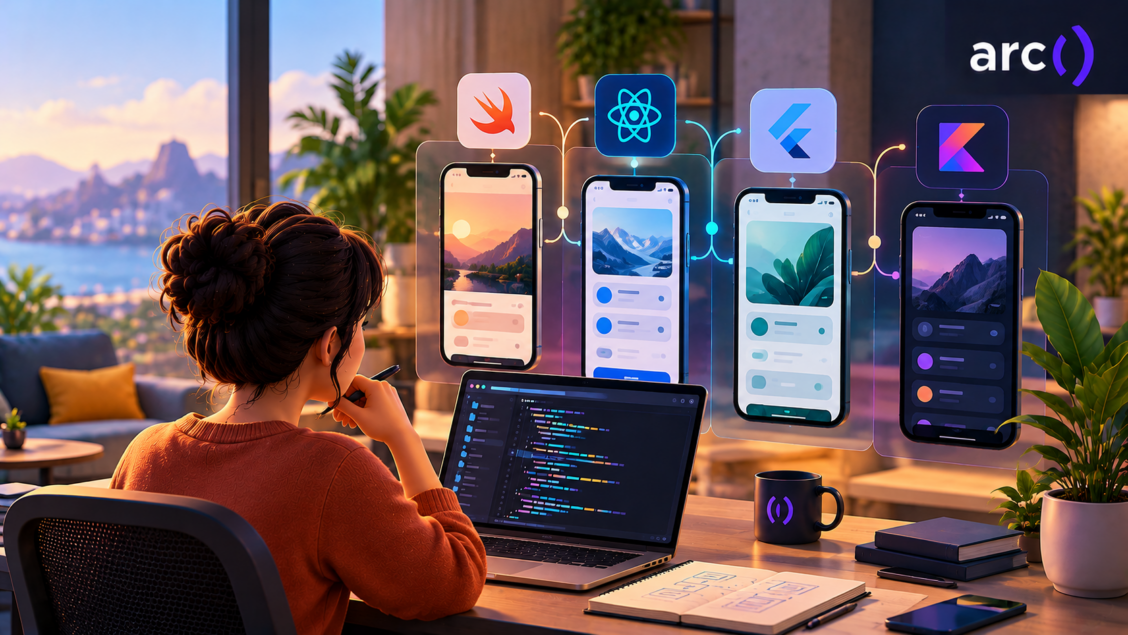
Four mobile stacks side by side in November 2026
Two of these stacks are native (Swift for iOS, Kotlin for Android), two are cross-platform frameworks (React Native and Flutter), and Kotlin Multiplatform sits between them. The table shows where each one stood on November 18, 2026.
| Stack | Language | Current version (November 2026) | How it draws UI | Native code path |
|---|---|---|---|---|
| Swift and SwiftUI | Swift | Swift 6.4 (6.4.2 on swift.org) with Xcode 27.2 | Apple’s UI frameworks | Direct |
| Kotlin and Jetpack Compose | Kotlin | Kotlin 2.4.21, with 2.5.0 planned for December 2026 | Android’s UI toolkit | Direct |
| React Native with Expo | TypeScript or JavaScript | React Native 0.88 and Expo SDK 58 | Native views through the New Architecture | Swift and Kotlin through the Expo Modules API |
| Flutter | Dart | Flutter 3.50 with Dart 3.14 | Draws its own widgets with Impeller | Platform channels or FFI |
| Kotlin Multiplatform | Kotlin | Kotlin 2.4.21 and Compose Multiplatform 1.12 (1.13 is in beta) | Native UI or shared Compose UI | Direct on Android; shared Kotlin code called from Swift on iOS |
Expo and React Native are in step for once. Expo SDK 58, released October 15, ships React Native 0.88, so a new Expo app starts on the newest React Native minor. React Native 0.89 is scheduled for December 7, 2026.
React Native vs Swift: what one codebase buys and what it costs
React Native gets one TypeScript codebase onto both stores. Swift gets you Apple’s APIs and design changes as soon as Xcode ships them, for iOS only.
Choose React Native when you need iOS and Android at launch, and your team already writes React. Three web engineers who know TypeScript and hooks can ship both apps from one codebase, with one native-capable engineer handling the Swift and Kotlin modules.
React Native’s own setup guide recommends a framework for new apps and names Expo. Start there.
How React Native talks to iOS after the New Architecture
The New Architecture replaced the asynchronous bridge with the JavaScript Interface (JSI), which lets JavaScript call native methods directly without serialization. Fabric is its rendering system, and React Native 0.87 removed the last TurboModules flag because TurboModules are now always on.
That architecture is the only one left. It became the only architecture in 0.82, and the old opt-out flags are ignored. Hermes V1 became the default engine on iOS and Android in 0.84.
For you as a buyer, any “the bridge is slow” argument describes an architecture React Native no longer has.
What you give up without Swift on the team
Some iOS features only exist in SwiftUI. Widgets, Live Activities, controls, and watch complications are built with WidgetKit, and Apple’s guide to creating a widget extension says plainly that you build widgets using SwiftUI. A React Native or Flutter app that wants a widget ships a Swift extension next to it.
Custom native code is Swift and Kotlin too. In an Expo app, you write it through the Expo Modules API, so a “no Swift” plan only holds for apps with no extensions and no custom native modules.
A native team gets the rest of Apple’s platforms from the same code. SwiftUI runs on iOS, iPadOS, macOS, tvOS, visionOS, and watchOS, and it’s designed to work alongside UIKit, so an older app can adopt it screen by screen.
Over-the-air updates and their limit
EAS Update ships JavaScript, styling, and image changes without a new store build. Any native change (a new module, a permission, a Swift fix) still needs a new binary and goes through store review.
Pick React Native when time to market on both stores beats polish on one. Pick native Swift when the iPhone is the product.
Flutter vs Swift when your brand lives in the UI
Flutter draws every pixel itself, which gives you identical custom UI on both platforms and puts the work of matching iOS design changes on the Flutter team and on you. Take a habit tracker whose brand is a set of bouncy custom charts.
For that app, the Flutter vs Swift question comes down to whether those charts should look identical on both phones (Flutter) or follow each platform’s newest look (Swift plus Kotlin).
Impeller and owning every pixel
Impeller is the only supported renderer on iOS and the default on Android API 29+. Custom design systems look the same everywhere, and standard platform controls are Flutter’s reimplementations.
For native work, Flutter uses platform channels to Swift or Kotlin code, or FFI to bind native code directly. Your Dart team still needs someone who reads both languages.
Liquid Glass as a stress test for cross-platform UI
Native apps built from standard SwiftUI or UIKit components pick up Liquid Glass, the design system Apple introduced with iOS 26, when you build with the latest SDK. The UIDesignRequiresCompatibility key that kept the old look stops working once you link against the iOS 27 SDK: an Apple DTS engineer confirmed on the developer forums that “the system ignores this key only when the application is linked against the iOS 27 SDK or later.”
Flutter has no official Liquid Glass support as of November 18, 2026. Its September post on decoupling Material and Cupertino says work on official implementations is underway, with no date, and the Liquid Glass widgets for cupertino_ui sit in an open pull request on a feature branch. React Native teams should test their component library on iOS 27 before assuming it matches.
Pick Flutter for brand-led UI where looking identical on both platforms matters more than matching each platform’s newest look.
Material and Cupertino leaving the Flutter SDK
Material and Cupertino widgets now live in the material_ui and cupertino_ui packages, which reached 1.0 with Flutter 3.47 in August. Flutter 3.50, released November 11, 2026, formally deprecates the built-in libraries, so budget a migration sprint before a later release removes them.
Kotlin vs Swift is an Android and iOS staffing decision
Kotlin and Swift don’t compete for the same app because each is a platform’s native language. “Kotlin vs Swift” means choosing between two native teams, Kotlin Multiplatform with an iOS engineer, or a cross-platform framework.
Google tells new Android projects to start with Kotlin, and Jetpack Compose is its recommended UI toolkit. If most of your users are on Android in markets where iPhones are rare, ship native Android and decide on iOS later.
Sharing logic with Kotlin Multiplatform
Kotlin Multiplatform has been stable since Kotlin 1.9.20 in November 2023. You choose to share logic only, or logic and UI, and native UI with shared logic is the most common setup. Compose Multiplatform for iOS went stable in 1.8.0, in May 2025.
The iOS side still has rough edges. Swift export is still Alpha, with breaking changes expected, so your iOS engineers consume shared Kotlin through today’s interop.
KMP fits a team that already has a tested Kotlin Android app: you keep that logic and add a native iOS UI on top. Starting from zero, a cross-platform framework gets you to both stores with less setup.
Swift on Android is official and still early
The reverse direction exists now. The Swift SDK for Android shipped with Swift 6.3, and Swift code calls Java and Kotlin through JNI using the swift-java tools. Treat it as a pilot for sharing Swift logic and keep it off your default path.
Choosing a mobile stack by product type
Your product type picks the stack faster than any feature list does. Start from what your app has to do on day one, then check who you can hire.
| Product type | Lean toward | Why | Watch out for |
|---|---|---|---|
| MVP that must reach both stores fast, built by a React web team | React Native with Expo | One TypeScript codebase, React skills carry over, over-the-air JS updates | Someone still writes Swift and Kotlin for native modules |
| Consumer app whose brand is a custom, animated UI on both platforms | Flutter | Impeller draws identical custom UI | Platform look changes such as Liquid Glass arrive late or through your own work |
| iOS-first premium app built around widgets, Live Activities, Apple Watch, or the newest Apple APIs | Swift and SwiftUI | WidgetKit is SwiftUI, and new Apple SDK features ship in Xcode and Swift | Android becomes a second project later |
| Existing Kotlin Android app adding iOS | Kotlin Multiplatform with native iOS UI | Reuses tested Kotlin logic | Swift export is still Alpha |
| Android-first product | Kotlin and Jetpack Compose | Google’s recommended toolkit and language | iOS later means KMP or a rewrite |
| Regulated or hardware-heavy app (payments, health sensors, Bluetooth devices) | Native, or KMP with native UI | Most of the work is platform APIs, so a framework adds a layer you’d write native code under anyway | Two release pipelines to staff |
| Internal or B2B tool with standard forms and lists | React Native or Flutter | One codebase, and design fidelity counts for less | Keeping up with each framework’s release cadence |
The cross-platform rows share one condition: both stores at launch, with screens that don’t depend on platform-only features. If you staff those rows with mobile app developers who know one framework, make sure at least one of them can open Xcode and Android Studio.
The native rows flip that condition. A fintech app whose core flows are biometric login, card scanning, and a Bluetooth card reader calls a platform API on almost every screen, so a framework saves it little.
The KMP rows depend on what you already own. A tested Kotlin codebase is the asset; without one, KMP’s setup cost buys you nothing a cross-platform framework wouldn’t.
Your backend is a separate decision. A Rails backend for mobile apps serves a Swift client and a React Native client the same way, so don’t let API choices drive the app stack.
Native vs cross-platform mobile app development after launch
Your stack decides how many release trains you follow and how many platform deadlines hit you twice. Cost of ownership is the build plus every upgrade, deadline, and native fix after it.
Each stack moves on its own schedule:
- Swift: Swift 6.3 shipped March 24, 2026 and Swift 6.4 September 15, 2026; Xcode 27 arrived September 14 and Xcode 27.2 on October 29.
- React Native: 0.87 shipped in August, 0.88 in October, and 0.89 is set for December 7, and the project supports only the latest three minor series.
- Flutter: 3.47 shipped in August and 3.50 on November 11, 2026.
- Kotlin: 2.4.0 shipped June 3, 2026, followed by 2.4.10, 2.4.20 and 2.4.21 (October 8), with 2.5.0 planned for December.
Swift itself keeps changing the code you write. Swift 6.2 added approachable concurrency, with main-actor-by-default code and @concurrent for parallel work, and Swift 6.4 made Swift Build the default build engine in Swift Package Manager.
For one platform, native Swift is the shortest path: Apple’s tools and docs, with no framework layer to debug. For two, a cross-platform framework wins on development speed. React Native’s Fast Refresh gives near-instant feedback on component changes, and Flutter’s hot reload injects updated code into the running Dart app.
| Factor | Native Swift and Kotlin | React Native with Expo | Flutter | Kotlin Multiplatform |
|---|---|---|---|---|
| Codebases for UI | Two | One | One | One or two |
| Release trains to track | Two | Three | Three | Three |
| Native code still needed | All of it | Modules and widgets | Platform channels and widgets | iOS UI or interop |
| Over-the-air JavaScript fixes | No | Yes, through EAS Update | Not built in | No |
Cross-platform teams absorb both stores’ deadlines plus their framework’s breaking changes, while native teams absorb one platform each. The next section lists those deadlines.
Store and toolchain deadlines on your calendar
Apple, Google and CocoaPods each have a date between now and April 2027 that can block a release if nobody is watching it. Three more have already passed and still apply to every upload.
Who should own this on your team: the engineer who runs your release pipeline, usually the mobile lead or whoever holds admin access to App Store Connect and Google Play Console. Put each date in the team calendar with a two-week warning, and recheck the table whenever Apple or Google posts a new requirement.
Reviewed: November 18, 2026
| Deadline | Date | Status on November 18, 2026 | Who it affects |
|---|---|---|---|
| Xcode 26 and an iOS 26 SDK for App Store uploads | April 28, 2026 | In force | Every iOS app |
| iOS and iPadOS uploads must target iOS 13 or later | September 9, 2026 | In force | Apps with a deployment target below iOS 13 |
| Target Android 16 (API 36) for new apps and updates | August 31, 2026 | In force; extensions ended November 1, 2026 | Every phone and tablet app (Wear OS, Automotive, TV and XR apps have lower targets) |
| CocoaPods trunk becomes read-only | December 2, 2026 | 14 days away | Anyone publishing pods: no new pods or versions after this date. Apps that install pods keep building but stop getting updates through trunk |
| 16 KB memory page size for app updates | February 1, 2027 | Upcoming | Apps targeting Android 15+ that ship native libraries |
| iOS 27 SDK for App Store uploads | April 2027 | Upcoming | Every iOS app; UIKit apps built with it must adopt the UIScene lifecycle or fail to launch |
App Store builds and the next iOS SDK deadline
Apple already requires Xcode 26 or later with an iOS 26 SDK for uploads, and its September 9 announcement says that “starting April 2027” iOS and iPadOS apps must be built with the iOS 27 SDK or later. Apple hasn’t given a day. Expo SDK 58 projects need Xcode 26.4 or later to compile.
The iOS 27 SDK brings a lifecycle chore. Apple’s TN3187 says the UIScene lifecycle is required when building with the latest SDK in the release after iOS 26, “otherwise, your app won’t launch.” Each stack handles it differently:
- Flutter: since 3.41, the CLI migrates apps with an unmodified AppDelegate automatically. A custom AppDelegate means manual steps.
- React Native: 0.88 adds UIScene support as an additive change, limited to a single scene.
- Expo: SDK 58’s prebuild generates a SceneDelegate.swift for you.
- Native UIKit apps: you move the AppDelegate lifecycle methods to a scene delegate yourself, following TN3187.
CocoaPods goes read-only on December 2: what stops and what keeps working
The CocoaPods date stops new publishing and leaves installs alone. CocoaPods’ read-only plan says that from December 2, 2026, “no new versions or pods will be added to trunk,” and that the switch “will keep all existing builds working.” The project also notes the dates “are not set in stone.”
For your team, that means pod install keeps resolving the versions already on trunk, and your app keeps compiling. What stops is the flow of updates: a library that ships only through CocoaPods can’t publish a fix after December 2, so a security patch or an iOS 27 compatibility fix would have to arrive through Swift Package Manager or not at all.
Flutter has used Swift Package Manager by default since 3.44 and falls back to CocoaPods only for plugins that haven’t migrated. The Flutter 3.50 release now prints a warning on every CLI command if you turn SwiftPM off.
React Native is on a slower track. In 0.88, “Swift Package Manager support remains experimental and opt-in,” CocoaPods remains fully supported, and the 0.87 post told teams not to use the SPM path in production yet. The plan in the 0.88 post is for 0.89 to target Swift Package Manager as the default, with an opt-out to CocoaPods for blocked apps. Expo SDK 58 also keeps CocoaPods as its default and supported path.
The practical check: list every pod your app depends on and confirm each one also ships a Package.swift. Those that don’t are the libraries that stop receiving fixes in December.
Google Play targeting and native library checks
Google Play now requires new apps and updates to target Android 16 (API 36). The extension Google offered ran to November 1, 2026, so that window has closed.
The next deadline gets less attention. Apps targeting Android 15 and higher must support 16 KB memory page sizes, and from February 1, 2027, updates without that support can’t be released. Apps written only in Java or Kotlin already comply. Google’s page doesn’t name React Native or Flutter, but both ship native libraries, so check your builds.
If you hire an outside development company for the first build, decide in the contract who owns these upgrades after it ends.
SwiftUI vs React Native performance benchmarks worth running yourself
No published benchmark predicts your app’s speed, so build your two hardest screens in each candidate and measure them on mid-range devices. Most SwiftUI vs React Native performance benchmarks test someone else’s app on someone else’s phone.
Pick the screens that worry you most: a long image feed, a live map, a chart that redraws on drag. Then run this checklist on both candidates:
- Build both spikes in release mode. React Native’s performance guide warns that JavaScript thread performance suffers greatly in dev mode.
- Record cold start on a mid-range Android phone and an older supported iPhone.
- Scroll a long list with images and count dropped frames.
- Tap through your busiest form and note how long input takes to register.
- Measure app download size from the store build.
- Test one platform API you depend on (camera, Bluetooth, background location) end to end.
Use each stack’s own profiler. React Native’s Perf Monitor, described in the same performance guide, shows separate JS and UI frame rates, so you can see which thread drops frames. Flutter’s performance docs point you to the DevTools Performance view. For Swift, use Xcode’s tools for measuring app performance; for Kotlin, Android Studio’s profilers.
Your bar is the 60 fps frame budget: about 16.67 ms per frame. If both candidates clear it on your hardest screens, pick the one your team ships faster in.
If only the native spike clears it, find the cause before deciding. A slow image decoder can move into a native module. A layout system that’s slow on every screen can’t, and that’s when native iOS and Android apps win on user experience.
Moving a slow screen from React Native into native code
When one screen in a React Native app misses the frame budget and the rest are fine, you can rewrite that one piece in Swift and Kotlin and keep everything else in TypeScript. The Perf Monitor tells you which kind of move you need.
If the JS frame rate drops while the UI thread holds, the cost is computation: image decoding, parsing a large payload, encryption. Move that function into a native module through the Expo Modules API and call it from TypeScript like any async function. The screen’s components stay as they are.
If the UI thread drops frames, the cost is rendering: a chart that redraws on every drag, a map with thousands of markers, a camera preview with overlays. Move the view itself. Expo’s native view tutorial walks through it: generate a module with npx create-expo-module, declare the view and its props in the module definition, subclass ExpoView on iOS (and the matching class on Android), then load it in TypeScript with requireNativeViewManager. A chart view’s iOS side looks like this:
import ExpoModulesCore

public class PriceChartModule: Module {

  public func definition() -> ModuleDefinition {

    Name("PriceChart")

    View(PriceChartView.self) {

      Prop("points") { (view, points: [Double]) in

        view.points = points

      }

    }

  }

}

class PriceChartView: ExpoView {

  var points: [Double] = [] {

    didSet { setNeedsDisplay() }

  }

}

import { requireNativeViewManager } from 'expo-modules-core';

import type { ViewProps } from 'react-native';

type Props = { points: number[] } & ViewProps;

export const PriceChart: React.ComponentType<Props> =

  requireNativeViewManager('PriceChart');
Expo SDK 58 also puts Expo Modules 2.0 in beta, which lets you annotate a plain Swift or Kotlin class instead of writing the definition block. Use the stable API shown here for production code until 2.0 leaves beta.
The move is worth it when the spike shows one or two screens over budget and the cause stays inside them. Each native screen is written twice (Swift and Kotlin), ships only in a store binary because EAS Update can’t patch native code, and needs an engineer who reads both languages to maintain it. If half your screens need this treatment, the stack is the wrong choice and the product-type table above should get a second look.
Hiring for each mobile stack
Each stack draws on a different skill set, and every one of them needs some Swift and Kotlin. Hire for these:
- Swift and SwiftUI for iOS: iOS developers who know Swift concurrency and the data-race checks in the Swift 6 language mode.
- Kotlin and Jetpack Compose for Android: Android developers who’ve shipped Compose UI to Google Play.
- TypeScript and React plus native modules: React Native developers who can write an Expo module in Swift or Kotlin.
- Dart plus platform channels: Flutter developers who can read the Swift and Kotlin on the other side of a channel.
- Shared Kotlin for KMP: Kotlin developers who’ve shipped shared modules and can work with an iOS engineer.
Screening Android candidates goes faster with a prepared set of Android interview questions. If you’re comparing where to find mobile engineers at all, our roundup of the best places to hire mobile app developers covers vetting and replacement terms.
Rates and talent pool by stack
The talent pool is the hiring fact that should weigh most in a tie. In Stack Overflow’s 2026 Developer Survey (14,099 answers to the language question), 62.0% of respondents had done extensive work in JavaScript over the past year and 43.8% in TypeScript, against 10.8% for Kotlin, 5.9% for Swift and 4.9% for Dart. The 2026 and 2025 surveys don’t report React Native or Flutter as frameworks; in the 2024 survey, the last edition that did, 9.4% of respondents used Flutter and 8.4% used React Native.
Read those numbers as two layers. A React Native hire comes from the large JavaScript and TypeScript pool but needs framework experience on top, which shrinks the pool to roughly Flutter’s size. Swift and Dart are the two smallest language pools, so an iOS-first or Flutter plan should open its first role earliest.
Arc’s own numbers add a second view. Each hire page lists how many vetted developers are available for that skill, and Arc publishes freelance rate pages for some roles:
| Stack | Arc freelance rate data (checked November 18, 2026) | Developers listed on Arc’s hire page | Language share, Stack Overflow 2026 |
|---|---|---|---|
| Swift and iOS | iOS rate page: average $81 to $100 per hour, median $61 to $80 | 2,537 iOS; 2,394 Swift | Swift 5.9% |
| Kotlin and Android | No role rate page; the Android and Kotlin hire pages say Arc freelancers typically charge $60 to $100+ per hour | 2,869 Android; 2,612 Kotlin | Kotlin 10.8% |
| React Native | No React Native rate page; the React rate page shows an average of $81 to $100 and a median of $61 to $80, and the React Native hire page says $60 to $100+ | 2,154 React Native | JavaScript 62.0%; TypeScript 43.8% |
| Flutter | No role rate page; the Flutter hire page says $60 to $100+ per hour | 2,852 Flutter | Dart 4.9% |
| Any mobile stack | Mobile app rate page: average and median $61 to $80 per hour | 3,567 mobile app | Not applicable |
Developer counts come from the “available to hire” line on each hire page on November 18, 2026; they change daily and overlap, since many iOS developers also list Swift. Arc’s full-time hires carry a fee of 20% of annual salary instead of an hourly rate.
AI coding assistants write code for every one of these stacks. A plan to build an app with AI still needs a reviewer who knows the platform, because generated Swift or Kotlin can compile and still break on a real device.
A two-spike plan for committing to a mobile stack
Run two short prototypes before you commit, because a spike on your own screens settles arguments a comparison article can’t. The plan has seven steps:
- Shortlist two stacks from the product-type table.
- Pick your two hardest screens and one native integration.
- Build both spikes in release mode, with Expo, Flutter, or native tooling as applicable.
- Run the performance checklist on mid-range devices.
- Check each store deadline against your launch date.
- Estimate the team you’d need to staff each stack.
- Write the decision down with the conditions that would reverse it.
Go ahead with a stack only if every item below holds:
- The spike hits the 60 fps frame budget on the mid-range Android device.
- The native integration works without forking a library.
- Every iOS dependency in the spike ships through Swift Package Manager, or you have a plan for the ones that don’t after December 2.
- You can staff at least one engineer who writes Swift and Kotlin.
- The stack’s current release supports your minimum iOS and Android versions (Expo SDK 58 needs iOS 16.4+, Flutter 3.50 supports iOS 15+, and both support Android 7, API 24, or later).
Frequently asked questions
Is React Native vs Swift still a performance question in 2026?
Less than it used to be. React Native’s New Architecture, the only architecture since 0.82, replaced the old bridge with JSI, and Hermes V1 has been the default engine since 0.84. Old speed complaints describe a design that’s gone. Measure your own hardest screens in release builds and trust those numbers over anyone’s published chart.
Should a startup build native or cross-platform first?
Go cross-platform with React Native and Expo, or Flutter, when both stores matter at launch and your screens are standard. Go native Swift when your product is iOS-first and leans on WidgetKit features or brand-new Apple APIs. Your current team’s skills should break any tie, since retraining costs more than the framework choice.
Does the CocoaPods read-only switch break React Native builds?
No, existing builds keep working. From December 2, 2026, CocoaPods trunk stops accepting new pods and new versions, but pods already published still install. The risk is that libraries shipping only through CocoaPods can’t publish fixes afterward, so check which of your dependencies also support Swift Package Manager before React Native 0.89 makes it the default.
Can Flutter apps use Apple’s Liquid Glass design?
Not officially as of November 2026. Flutter’s team says official Liquid Glass work is underway but hasn’t given a date. Native apps built from standard SwiftUI or UIKit components get the new look by building with the current SDK, so a Flutter app that needs it now means custom work from your own team.
Is Kotlin Multiplatform ready for production iOS apps?
Yes, with one caveat. KMP has been stable since November 2023, and Compose Multiplatform for iOS has been stable since 1.8.0. Swift export is still Alpha with breaking changes expected, so plan how your iOS engineers will call shared Kotlin through today’s interop and keep a Swift developer on the team.
Do cross-platform apps need native developers?
Yes, at least one. Native modules in Expo apps are written in Swift and Kotlin through the Expo Modules API, and Flutter reaches native APIs through platform channels or FFI. Widgets and Live Activities are built in SwiftUI no matter which framework runs the main app, so staff at least one engineer who writes both languages.
React Native vs Swift vs Flutter: picking a stack you can staff for years
Pick React Native with Expo for most two-platform MVPs built by React teams, since your engineers’ TypeScript skills carry straight over. Pick Flutter when your brand needs a custom UI that matches on every phone. Pick Swift when your app is iOS-first and depends on WidgetKit or Apple’s newest APIs, and pick Kotlin Multiplatform when a Kotlin Android app adds iOS.
Every option still needs at least one engineer fluent in Swift and Kotlin, because widgets, native modules, and store deadlines don’t go through the framework. When you hire Swift developers, screen for SwiftUI and UIKit interop, Swift concurrency under the Swift 6 language mode, WidgetKit extensions, and shipping through App Store review on the current Xcode.
Arc’s Swift and React Native developers come from the top 2% of applicants who pass its technical and communication assessment. You pay $0 until you hire, and freelance matches typically arrive within 72 hours, with full-time hires in about 14 days.