

Many engineering teams still run revenue-critical code on AngularJS in 2026; not out of preference, but because migrating a production application carries real risk, and competing priorities keep pushing the decision back. The longer that decision waits, the wider the security exposure grows and the harder the codebase becomes to staff and maintain.
Arc helps companies connect with vetted remote Angular developers in as little as 72 hours, with $0 due until you hire. But before you can staff a migration, you need a clear picture of what you are actually migrating from, and why the gap between AngularJS and Angular is wider than most teams expect.
This article explains the true architectural differences between Angular vs AngularJS, then maps those differences to migration risk, staffing requirements, and rollout sequencing. By the end, you will have a practical framework for deciding what to migrate first and how to phase the work around your business priorities.
Why Migrating from AngularJS to Angular Is a Full Rewrite
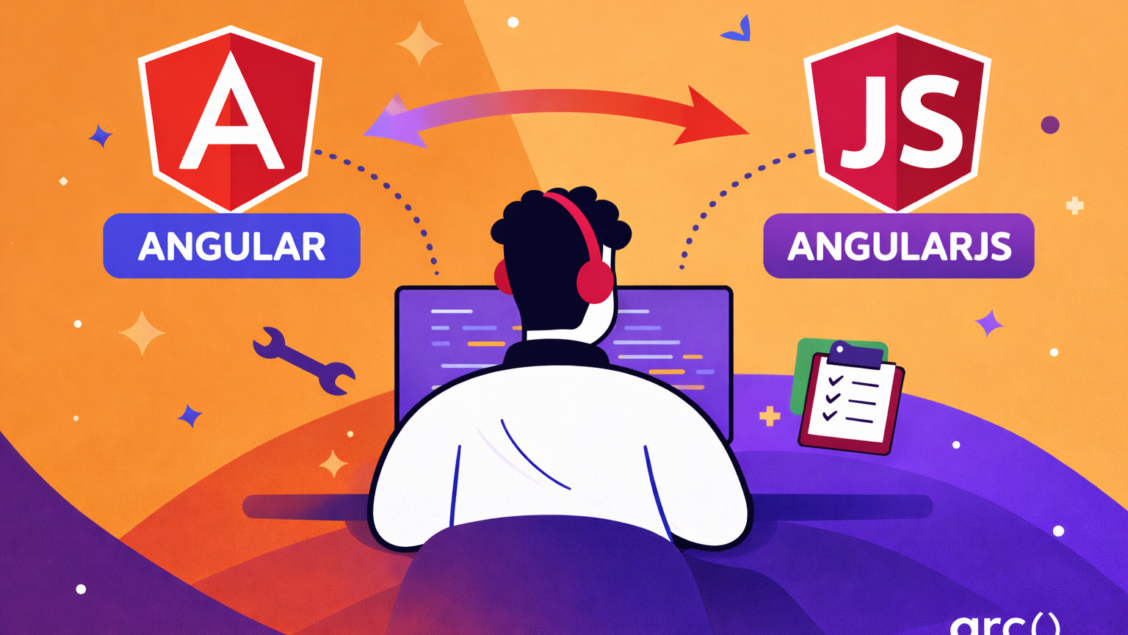
Angular and AngularJS differ fundamentally in language, architecture, and performance strategy. You cannot upgrade from one to the other because they are built on incompatible foundations, and migrating means rebuilding.
AngularJS vs Angular: Core Architecture Compared
| Feature | AngularJS | Angular |
| Language | JavaScript | TypeScript |
| Architecture | MVC (Model-View-Controller) | Component-based |
| Change Detection | Digest cycle with two-way binding | Zone.js with unidirectional data flow |
| Module System | Custom module system | ES6 modules and NgModules |
| Performance | Slower with large applications | Faster with optimized rendering |
| Community Support | Legacy only | Active development and updates |
The shift to TypeScript is one of the most consequential differences for your team. Strong typing, compile-time error detection, and improved IDE support all reduce the cost of maintaining and extending a codebase at scale.
How Angular’s Zone.js Outperforms the AngularJS Digest Cycle
AngularJS uses a digest cycle that repeatedly checks all watched variables to detect changes. In large applications, this creates compounding performance problems because the framework traverses the entire scope tree on every cycle, regardless of what actually changed.
Angular replaces this with Zone.js, which tracks asynchronous operations and triggers change detection only where needed. The result is faster rendering by default, without the manual optimization work — like one-time binding — that AngularJS developers often resort to.
For teams managing data-heavy interfaces, you can push performance further by implementing OnPush change detection on specific components.
Why Angular’s Component Model Replaces AngularJS Controllers
Angular replaces the MVC pattern with a component-based architecture where every part of your application is a self-contained unit with its own template, logic, and styling. Components use the @Component decorator to define metadata, which enforces a consistent structure across the entire codebase and makes large applications significantly easier to navigate.
TypeScript brings interfaces, decorators, and compile-time type checking to your development workflow. For teams accustomed to AngularJS controllers and directives, the learning curve is real, but the payoff in code maintainability and debuggability is substantial, particularly as your codebase grows.
What AngularJS End of Life Really Means for Your App in 2026
AngularJS officially reached end of life on December 31, 2021. Since that date, Google has issued no security patches, bug fixes, or framework updates, and none are coming.
The Security and Compliance Risks of Running EOL Software
Every security vulnerability discovered in AngularJS after December 2021 remains permanently unpatched. Attackers actively scan for known weaknesses in outdated frameworks, and without ongoing patches, those attack surfaces stay open indefinitely.
Your security team can build workarounds, but they cannot fix framework-level vulnerabilities, and maintaining those workarounds consumes time and budget that could go toward the migration itself.
Compliance requirements add a harder constraint. In healthcare, finance, and government, running unsupported software can directly violate HIPAA, PCI-DSS, or SOC 2 standards. Auditors will flag AngularJS as a risk, and the cost of remediation during an audit is almost always higher than the cost of planned migration.
When “Still Works” Is Not the Same as “Safe to Run”
Your AngularJS application likely loads and functions normally today. The code remains accessible, users can interact with it, and nothing has visibly broken. But operational stability and security are different things, and the gap between them widens every month you stay on an unsupported framework.
Browser updates can break AngularJS features without warning, and third-party libraries will continue dropping AngularJS support as their maintainers move on. The talent situation compounds this: developers increasingly avoid AngularJS projects because the skills do not transfer to modern frameworks, making both hiring and retention harder with each passing year.
How to Prioritize Your AngularJS Migration: A Risk-Based Framework
Not all parts of your AngularJS application carry the same level of risk or business impact. A tiered approach — starting with revenue-critical modules and working down to low-traffic internal tools — lets you protect what matters most while building the team’s confidence and migration velocity.
Tier 1: Migrate Revenue-Critical and Customer-Facing Modules First
Checkout flows, payment processing, and user dashboards should move first. These modules have the highest direct impact on revenue and customer experience, so any degradation in performance or security carries immediate business consequences.
Modern Angular’s improved rendering performance and active security support make these the strongest candidates for early migration.
Start by identifying which routes handle transactions or user data submission: shopping cart, subscription management, and account creation. Use your analytics to confirm which features drive the most engagement and conversions, then anchor your first migration phase around those.
Visible improvements in this tier also build internal stakeholder confidence for the phases that follow.
Tier 2: Modules That Touch Sensitive Data or External Services
Authentication systems, API integrations, and data-handling modules belong in the second phase. These components process sensitive information and connect to external services, which means running them on an unsupported framework creates direct compliance exposure. Login pages, password reset flows, and session management all fall into this category.
Third-party AngularJS libraries that support these integrations no longer receive security patches, leaving known vulnerabilities unaddressed at every connection point. Angular’s updated security tooling and active maintenance cycle close those gaps.
Any module that touches user credentials, payment information, or personal data should move before you consider work on lower-risk sections.
Tier 3: Internal Tools and Low-Traffic Features Can Wait
Admin panels, reporting dashboards, and low-traffic features can wait until later phases. These modules carry less immediate risk because fewer people use them, and internal teams generally have a higher tolerance for the occasional workaround. Migrating them last also gives your team time to build Angular proficiency on higher-stakes work before tackling these.
Before migrating this tier, conduct a dead code audit. Many organizations discover that 20–30% of their AngularJS codebase serves no current business purpose. Removing those features before migration reduces scope, lowers workload, and keeps the final phases moving quickly.
How to Score and Rank Every Module in Your AngularJS App
Build a spreadsheet listing every major module in your application. Add columns for monthly active users, revenue impact, data sensitivity, and last update date, then score each module from 1–10 on both business impact and technical risk. Multiplying those scores gives you a priority ranking where any module above 50 moves to Tier 1.
Review the ranked list with stakeholders from product, engineering, and security before any development work begins. They will surface dependencies and risk factors that usage data alone will not capture. Update your migration roadmap based on that input, and treat it as a living document throughout the project.
Which Migration Pattern Fits Your AngularJS Codebase?
Moving from AngularJS to Angular does not require a full stop on your current application. Several proven patterns let you migrate incrementally, spread risk across phases, and keep delivering value to users throughout the transition.
How the ngUpgrade Hybrid Approach Works for Incremental Migration
The ngUpgrade library lets you run AngularJS and Angular simultaneously within the same application. You bootstrap both frameworks together and migrate one component or service at a time, while everything else continues to function normally. AngularJS components can call Angular services and vice versa through the ngUpgrade bridge, which keeps the application coherent throughout the transition.
This hybrid approach lets you maintain a working application at every stage of the migration, which significantly reduces delivery risk compared to a full rewrite. The trade-off is an increased bundle size during the transition period and the overhead of training your team across both frameworks at once.
Plan your migration phases tightly to minimize how long both frameworks coexist in production.
Why the Strangler Fig Pattern Works Best for Large AngularJS Monoliths
The Strangler Fig pattern involves building new Angular features around your existing AngularJS application and gradually replacing old sections until nothing remains. Your routing layer becomes the central decision point, directing users to either the legacy or new version of each feature as migration progresses.
This approach works best for large enterprise applications where a complete rewrite carries too much delivery risk or would take too long to justify. You spread migration cost across multiple release cycles and continue delivering improvements to users throughout. The downside is that you maintain two codebases for longer and need infrastructure that supports both frameworks running in parallel.
When a Full Greenfield Rewrite Is Faster Than Incremental Migration
A complete rewrite makes the most sense when your AngularJS codebase is small, structurally poor, or carrying enough technical debt that incremental migration would simply transfer old problems into a new framework. Applications with fewer than 50 components or a realistic rebuild timeline under six months are usually faster to rewrite than to migrate gradually.
A greenfield approach also makes sense when your business requirements have changed substantially since the original build. Starting fresh lets you redesign the architecture and user experience without the constraints of the legacy codebase.
The primary risk is that you will not have working software until the rewrite is complete, which may require freezing feature development on the old application for the duration of the rewrite.
How to Staff an AngularJS to Angular Migration in 2026
The AngularJS talent pool is shrinking steadily, while demand for Angular expertise remains strong. Your hiring and upskilling strategy needs to account for both realities before migration work begins.
AngularJS Developers Are Rare, So Plan Ahead
Most developers who knew AngularJS deeply have already moved to Angular or other modern frameworks. Bootcamps and computer science programs stopped teaching AngularJS years ago, which means the junior pipeline is effectively empty.
If you need to maintain AngularJS applications while planning your migration, start recruiting now rather than waiting until you have an urgent gap to fill.
Contract developers or consulting firms that specialize in legacy systems are often the most practical option for short-term AngularJS support. Expect longer hiring timelines and higher rates, as legacy expertise commands a niche premium precisely because so few practitioners remain active in it.
What AngularJS Developers Need to Learn Before Working in Angular
Your existing AngularJS developers already understand concepts that transfer directly to Angular: dependency injection, service-based architecture, and modular code organization all carry over. The primary gaps are TypeScript proficiency, the component decorator model, RxJS for async handling, and Angular CLI tooling, none of which require months of isolation to learn.
Most experienced AngularJS developers reach productive Angular output within 6–10 weeks when onboarding combines structured learning with real feature work. A practical approach is to start developers on isolated Angular components within a hybrid ngUpgrade setup, so they build confidence in non-critical code before taking on Tier 1 modules.
Stop Searching And Start Migrating
The difference between Angular vs AngularJS is not a version gap; it is a fundamental architectural divide, and every month you run revenue-critical code on an unsupported framework, the cost of staying grows.
Arc connects engineering teams with vetted remote Angular developers ready to interview within 72 hours, with no upfront cost until you hire. Whether you need a specialist to lead the migration or additional capacity to accelerate it, you can find qualified candidates without the delays of a traditional search.
Your migration starts with the right team. Start hiring and meet your first vetted Angular developer today.
Frequently Asked Questions
What is the main difference between Angular and AngularJS?
AngularJS is a JavaScript-based MVC framework that Google released in 2010. Angular is a TypeScript-based, component-driven framework released in 2016 as a full rewrite, not an upgrade. They share a name but are architecturally incompatible, and migrating from one to the other requires rebuilding your application, not updating a version number.
Is AngularJS still supported in 2026?
No. AngularJS reached official end of life on December 31, 2021, and Google no longer issues security patches, bug fixes, or updates of any kind. Applications still running AngularJS in 2026 carry permanently unpatched vulnerabilities and may fail compliance requirements in regulated industries, including healthcare, finance, and government.
How long does it take to migrate from AngularJS to Angular?
Migration timelines depend heavily on codebase size and structural complexity. Small applications under 50 components can complete a full rewrite in 2–4 months. Mid-size applications using the ngUpgrade hybrid approach typically take 6–18 months. Large enterprise monoliths using the Strangler Fig pattern can run 18–36 months, with migration costs distributed across multiple release cycles.
Can AngularJS and Angular run simultaneously in the same app?
Yes, using the ngUpgrade library, which bootstraps both frameworks in parallel and allows AngularJS and Angular components to coexist and communicate during the transition. This is the most common approach for incremental migration. The trade-off is an increased bundle size and the added complexity of maintaining two framework contexts until migration is complete.