


Written for Rails 8.1.
Rails still gets written off as a pre-AI-era framework, the kind of stack you inherit rather than choose. That reputation doesn’t survive contact with an actual build.
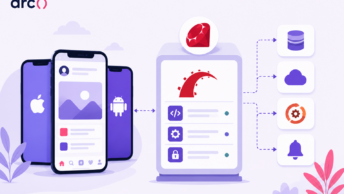
Most AI products in 2026 are API consumers, not model trainers, and the work that surrounds an LLM call is exactly what Rails already solves: queued background jobs with Solid Queue (the Rails 8+ default) or Sidekiq, token streaming over Turbo Streams and Action Cable, encrypted credentials, and a service-object pattern that keeps provider clients out of your controllers.
Integrating AI with Ruby on Rails means extending patterns Rails engineers already use every day, not bolting on something foreign. If your AI feature is a user-facing workflow wrapped around a hosted model, Rails removes more infrastructure work than it adds.
Below is the practical side of Ruby on Rails AI integration: where Rails belongs in an AI stack, which features are worth shipping first, which gems and providers to pick, a six-step production workflow, how to build RAG and agent flows that don’t hallucinate their way into your database, and a launch checklist.
In this article:
Where Rails Fits in an AI Product Stack
- Rails as the Application and Workflow Layer
- What Belongs in External AI Services
- When Python, PyTorch, or TensorFlow Is the Better Fit
High-Value AI Features Rails Teams Can Ship
- Chatbots, Virtual Assistants, and Conversational AI
- Document Processing, Classification, and Structured Extraction
- RAG Search and Internal Knowledge Assistants
- Personalization, Recommendation Engines, and Predictive Analytics
- Content, Image Generation, and Back-Office Automation
Selecting Providers, Ruby Gems, and Coding Assistants
- Provider and Gem Comparison Table
- OpenAI Clients: ruby-openai Versus openai-ruby
- Multi-Provider Abstractions With RubyLLM and LangChainRB
- Anthropic, Gemini, DeepSeek, and Other Provider Choices
- Choosing the Best AI Coding Assistant for Ruby on Rails Work
- Coding Assistant Comparison Table
A Production Workflow for Ruby on Rails AI Integration
- Step 1: Define the User Action, Output Contract, and Evaluation Set
- Step 2: Configure Credentials and a Provider Service Object
- Step 3: Stream Fast Responses With SSE, Turbo Streams, or Action Cable
- Step 4: Move Slow Work to Background Jobs (Solid Queue or Sidekiq)
- Step 5: Validate Structured Output and Persist Useful Results
- Step 6: Test Failure Paths, Rate Limits, and Model Changes
Building a Ruby on Rails AI Agent: RAG and Reliable Workflows
- Store Embeddings in Postgres With pgvector and ActiveRecord
- Retrieve, Cite, and Refresh Source Documents
- Give a Rails AI Agent Narrow, Auditable Tool Access
- Choose RAG Before Fine-Tuning for Changing Product Knowledge
Security, Performance, and Launch Readiness Checklist
- Protect API Keys, Customer Data, and Sensitive Prompts
- Control Cost, Latency, Caching, and Provider Failover
- Monitor Quality, Data Leaks, and Unsafe Tool Calls
- Scannable Decision Checklist for the First Release
Frequently Asked Questions
Where This Leaves Rails
Where Rails Fits in an AI Product Stack
Think of Rails as the layer between your user and the model, not the model itself. That split is what makes the architecture hold up as features multiply.
Rails as the Application and Workflow Layer
Rails owns the parts of an AI product that users actually touch: authentication and authorization, per-tenant data scoping through ActiveRecord, billing and usage metering, job queues, and the views that render model output.
Concretely, that means Devise or Rails 8’s built-in authentication generator handles sessions before a prompt is ever built, Pundit decides whether this user can query that document, and Sidekiq retries a failed OpenAI call with exponential backoff instead of you writing a retry loop by hand.
Developer velocity is the real argument here. A single engineer can scaffold a model, migration, controller, background job, and streaming view for an AI feature in an afternoon, because the conventions already exist. Hiring backs this up: the pool of engineers who have shipped and scaled production Rails apps is deep, and they transfer between codebases fast because the file layout is the same everywhere.
What Belongs in External AI Services
Push inference out. Chat completions, embeddings, transcription, image generation, reranking, and moderation all live behind LLM APIs from OpenAI, Anthropic, Google, and others.
Your Rails app handles prompt assembly, retry logic, response validation, caching, and persistence. It should never hold GPU-bound work in a Puma thread.
When Python, PyTorch, or TensorFlow Is the Better Fit
Be honest about the boundary. If you are training or fine-tuning a model, running heavy feature engineering pipelines, or doing deep learning research, Python with PyTorch or TensorFlow is the default, and Ruby doesn’t come close.
Torch.rb and Informers let you run local inference in Ruby, and they’re genuinely useful for small classifiers or embedding generation without a network hop. For anything involving training loops, distributed GPUs, or the latest research tooling, stand up a Python service and call it from Rails over HTTP. That boundary keeps each layer doing the job it’s actually good at.
High-Value AI Features Rails Teams Can Ship
Rails runs at real scale in production at companies like Shopify, GitHub (historically, and still in large parts), and Basecamp. The features below describe how an AI layer would plausibly sit on top of that kind of stack. Treat them as illustrative architecture, not confirmed implementations at those specific companies.
Chatbots, Virtual Assistants, and Conversational AI
The Rails-native version of conversational AI is unglamorous and effective: a Conversation model, a Message model, an Action Cable channel, and Turbo Streams appending tokens as they arrive.
State lives in Postgres, not in memory, so a user can reload the page mid-answer and pick up where they left off. Reach for this when the assistant needs product context: order history, subscription status, permissions.
Document Processing, Classification, and Structured Extraction
This is where NLP pays off fastest. A user uploads a PDF invoice through Active Storage, a background job extracts text, and a model returns structured output matching a JSON schema you defined.
Validate that JSON against an ActiveModel object before persisting. Skip that step, and you will eventually write a nil vendor name into a required column.
RAG Search and Internal Knowledge Assistants
Retrieval-augmented generation replaces keyword search in help centers and internal wikis. You chunk documents, generate embeddings, store them alongside your relational data, and retrieve the top matches before calling the model.
The win is answers grounded in your own content, with citations back to the source record.
Personalization, Recommendation Engines, and Predictive Analytics
Embeddings make content-similarity recommendations cheap: embed each article or product, then find nearest neighbors. For churn scoring or fraud detection, a small trained model or gradient-boosted classifier usually beats an LLM on both cost and accuracy, and Rails just stores and acts on the score.
Content, Image Generation, and Back-Office Automation
Draft generation, tone rewriting, alt-text for uploads, product images, and internal ops automation like triaging refund requests or summarizing a week of support tickets into a Slack digest. These are queue-driven, latency-tolerant jobs, which makes this the easiest category to ship safely.
Read more: Ruby on Rails in 2026: How the Framework Supports Iterative Product Teams
Selecting Providers, Ruby Gems, and Coding Assistants
Two decisions matter here: which client library talks to your provider, and which AI coding assistant your team uses day-to-day.
Provider and Gem Comparison Table
| Gem | What it does | Best for | Tradeoff |
| ruby-openai | Community OpenAI client | Battle-tested, well-documented | New API surfaces can lag |
| openai-ruby | OpenAI’s official SDK | First-party support, fast updates | Newer, fewer examples |
| anthropic | Official Anthropic SDK (gem name anthropic, repo anthropics/anthropic-sdk-ruby) | First-party support, fast updates, all current Claude APIs | Newer than the community gem; fewer community examples |
| ruby-anthropic | Community Claude client by Alex Rudall (formerly named anthropic before the official SDK took the gem name) | Teams already using this gem in production who don’t want to migrate | Gem name changed in 2025; update your Gemfile if you were on the old anthropic gem |
| ruby_llm | Multi-provider interface | Swapping or A/B testing providers | Hides provider-specific params |
| langchainrb | Chains, memory, tool calling | Multi-step RAG workflows | More concepts than small features need |
| raix | Rails AI extensions — chat completion, function dispatch, MCP support, prompt caching | Production AI components extracted from a real Rails AI platform; ships Raix::MCP for connecting to MCP servers | Smaller community than LangChainRB; opinionated toward OpenRouter by default |
| fast-mcp | MCP server implementation for Ruby | Exposing your Rails app’s tools and resources to AI agents via the Model Context Protocol | Experimental transport layer; SSE support in active development |
| faraday | HTTP client with middleware | No official SDK exists | You build the API surface yourself |
| neighbor | ActiveRecord nearest-neighbor queries | Embeddings in Postgres via pgvector | Postgres-specific |
OpenAI Clients: ruby-openai Versus openai-ruby
ruby-openai has been the default in Rails projects for years. Its streaming interface takes a proc, which slots neatly into a Turbo Stream broadcast loop.
openai-ruby, the official SDK, tracks new endpoints and parameters sooner, which matters when you want reasoning controls or a new model tier the week it ships. For a greenfield app, start with the official SDK. For an existing app already on ruby-openai, don’t migrate without a reason.
A similar transition happened on the Anthropic side. Alex Rudall’s community gem was originally called anthropic. When Anthropic released their official Ruby SDK in 2025, Rudall donated the gem name — so anthropic now refers to the official SDK (gem ‘anthropic’ in your Gemfile), and his community gem is now called ruby-anthropic (gem ‘ruby-anthropic’). If your Gemfile still has gem ‘anthropic’ from before the transition, verify which version you’re running — older versions (pre-1.0) are the community gem; version 1.x and above are the official SDK.
Multi-Provider Abstractions With RubyLLM and LangChainRB
RubyLLM gives you one call signature across providers, so switching from GPT to Claude for a summarization job becomes a config change rather than a rewrite of your service object. That flexibility comes at a cost: you lose direct access to provider-specific knobs unless the gem exposes them.
LangChainRB is the Ruby answer to LangChain: prompt templates, conversation memory, vector store adapters, and tool definitions. Use it when you’re chaining three or more model calls with retrieval in the middle. For a single chat completion, plain Faraday plus a service object is less code and easier to debug.
Sublayer is a newer entry in the same space, positioned specifically around agentic workflows: it provides a Generator/Action/Task/Agent abstraction layer that maps more directly to multi-step autonomous behavior than LangChainRB’s chain metaphor. Worth evaluating if your use case is primarily agent-driven rather than RAG or single-call completion.
Anthropic, Gemini, DeepSeek, and Other Provider Choices
For Anthropic specifically, you have two gem options: the official anthropic SDK (recommended for new projects) and the community ruby-anthropic gem by Alex Rudall (for projects already using it). Both work; the official SDK tracks new API features faster. See the gem table above for the rename context.
Pick per job, not per company. Claude models tend to be strong at long documents and following detailed formatting instructions. Gemini is attractive when you’re already on Google Cloud or need large-context multimodal input. DeepSeek and other lower-cost providers make sense for high-volume classification where a small accuracy delta doesn’t hurt.
The practical move: define a PROVIDERS config, route each feature to a named provider and model, and keep the model string out of your business logic.
Choosing the Best AI Coding Assistant for Ruby on Rails Work
Rails teams evaluating the best AI coding assistant for Ruby on Rails work usually land on one of five tools, each with a different sweet spot.
- GitHub Copilot is the strongest at line-level autocomplete inside Rails conventions. It guesses ActiveRecord scopes, has_many declarations, and strong params well because it has seen enormous amounts of idiomatic Rails. It’s weaker at reasoning across your whole app, so it will happily suggest a method that exists in a different concern.
- Cursor is the best fit when you need multi-file edits. Ask it to add a status enum to a model, and it will touch the migration, model, controller, and RSpec spec together. Its Rails weakness is dynamic finders and metaprogrammed methods it can’t see in a file.
- Claude Code works well for terminal-driven refactors and reading long Rails codebases, including running your test suite and iterating on failures. It writes RSpec that actually matches your existing spec style if your spec/ folder is consistent.
- Tabnine appeals to teams with strict data policies, since it supports self-hosted and on-prem deployment. Suggestion quality on Rails idioms sits below Copilot’s, so treat it as a privacy-first tradeoff.
- Sourcegraph Cody shines on repo-wide questions in large monoliths; ‘where does this before_action come from?’ across thousands of files — but as of July 2025, Cody Free and Cody Pro were discontinued. Cody is now enterprise-only at $59/user/month with an annual contract. For individual developers or small teams, Sourcegraph now points to their Amp product instead. Evaluate Cody only if you’re at an organization already running Sourcegraph Enterprise.
The candid limitation applies to all five. None of them fully model Rails’ metaprogramming or convention-over-configuration behavior. They can’t reliably tell you that a method is defined by a gem’s included do block, and they will invent callbacks that look plausible. An experienced Rails engineer still needs to read every generated migration and every N+1 waiting inside a suggested each loop.
Coding Assistant Comparison Table
| Tool | Strongest use case | Rails-specific fit | Pricing (approx.) |
| GitHub Copilot | Inline autocomplete | Excellent on ActiveRecord idioms | Free tier; $10 to $19/mo |
| Cursor | Multi-file refactors | Strong on migration, model, and spec together | Free tier; Pro ~$20/mo |
| Claude Code | Terminal refactors, test loops | Good RSpec output on consistent specs | Bundled with Claude plans |
| Tabnine | Privacy-sensitive teams | Adequate, supports on-prem | Free tier; $9 to $39/mo |
| Sourcegraph Cody | Repo-wide code search (enterprise) | Strong in large monoliths with Sourcegraph deployed | Enterprise-only since July 2025; $59/user/month annual contract. Individuals: see Amp |
Pricing changes often, so confirm current rates before quoting them to a client or team.
Read more: Ruby On Rails vs. JavaScript: Which Should You Learn Or Use For Web Development?
A Production Workflow for Ruby on Rails AI Integration
Here’s the sequence that holds up when the feature reaches real users. It maps to: user request, background job, API call, streamed response back to the view.
Step 1: Define the User Action, Output Contract, and Evaluation Set
Write down the exact user action (“summarize this support thread”) and the exact output shape (a JSON object with summary, sentiment, suggested_action).
Then collect 20 to 50 real inputs with hand-written expected outputs. This is your evaluation set, and it’s the only way you’ll know whether a model or prompt change made things better. Skip it, and every prompt tweak becomes a guess.
Step 2: Configure Credentials and a Provider Service Object
Put keys in rails credentials:edit, not in a committed .env. Use dotenv locally if you prefer, and read from environment variables in production so your deploy platform owns the secret.
Then wrap the provider in a service object, for example
# app/services/llm/summarize_thread.rb

class Llm::SummarizeThread

  Result = Data.define(:summary, :sentiment, :suggested_action)

  def initialize(thread_id:, user:)

    @thread = SupportThread.find(thread_id)

    @user   = user

  end

  def call

    response = client.messages.create(

      model:      "claude-sonnet-4-6",

      max_tokens: 1024,

      system:     system_prompt,

      messages:   [{ role: "user", content: @thread.messages_text }]

    )

    parsed = JSON.parse(response.content.first.text)

    Result.new(**parsed.slice("summary", "sentiment", "suggested_action").transform_keys(&:to_sym))

  rescue Anthropic::Error => e

    Rails.logger.error("LLM error: #{e.message}")

    raise

  end

  private

  def client

    @client ||= Anthropic::Client.new(api_key: Rails.application.credentials.anthropic_api_key)

  end

  def system_prompt

    <<~PROMPT

      Return JSON with keys: summary (string), sentiment (positive|neutral|negative),

      suggested_action (string). No other text.

    PROMPT

  end

end
Step 3: Stream Fast Responses With SSE, Turbo Streams, or Action Cable
For anything conversational, stream. The controller opens a stream, the provider client yields chunks, and each chunk broadcasts a Turbo Stream append to a target div.
# app/controllers/messages_controller.rb

def create

  message = current_conversation.messages.create!(role: "user", content: params[:content])

  response {

    headers["Content-Type"] = "text/event-stream"

    headers["X-Accel-Buffering"] = "no"

    client = Anthropic::Client.new(api_key: Rails.application.credentials.anthropic_api_key)

    ai_message = current_conversation.messages.create!(role: "assistant", content: "")

    client.messages.stream(

      model:     "claude-sonnet-4-6",

      max_tokens: 2048,

      messages:  current_conversation.messages_for_api

    ) do |chunk|

      token = chunk.delta&.text

      next unless token

      ai_message.update_columns(content: ai_message.content + token)

      sse_data = ApplicationController.render(

        partial: "messages/token",

        locals:  { token: token, message_id: ai_message.id }

      )

      write("data: #{sse_data}\n\n")

    end

    write("data: [DONE]\n\n")

  }

end
Server-sent events work well for one-way token streaming and need no extra infrastructure beyond a properly configured web server. Action Cable is the better choice when the same channel carries other real-time updates. Reserve real-time WebRTC for actual voice features.
Step 4: Move Slow Work to Sidekiq and Background Jobs
Anything over roughly two seconds that the user isn’t watching belongs in a job. Solid Queue is the Rails 8+ default; it’s database-backed and needs no Redis. Sidekiq is the common production choice for high-volume workloads where Redis-backed throughput matters. Active Job gives you a common interface either way.
| Aspect | Synchronous (in request) | Async (Active Job / Sidekiq) |
| When to use | Short prompts under 2s, admin tools | Batch jobs, embeddings, multi-step agents |
| Perceived latency | Full API round trip | Instant response, result streams in later |
| Failure behavior | Timeout becomes a 500 | Job retries with backoff |
| Complexity | Low, one service call | Higher, needs status column and broadcast |
| Risk if skipped | Puma threads back up under load | Extra moving parts to maintain |
Streaming is the middle path: the response starts immediately even though total generation takes 15 seconds.
Step 5: Validate Structured Output and Persist Useful Results
Request structured outputs with a JSON schema, then still validate. Parse into an ActiveModel object with validations, and on failure either retry once with the error message appended or fall back to a safe default.
The instructor-rb gem is built specifically for this validation step. It wraps your provider client, sends the JSON schema to the model, and handles retry-with-error-message automatically when the response doesn’t validate; the same retry loop you’d build by hand, as a convention rather than custom code. It’s the structured-output equivalent of how Rails handles form validation: you declare what valid looks like, and the library enforces it
Persist the input hash, the model name, token counts, and the parsed result. When someone asks why last Tuesday’s summaries look off, that row is your answer.
Step 6: Test Failure Paths, Rate Limits, and Model Changes
Use VCR or WebMock to record real provider responses and replay them in specs. Then write tests for the ugly cases: a 429, a 500, a timeout, malformed JSON, and a truncated response.
Add a documented runbook entry for provider outages, including which fallback model the app switches to. Re-run your evaluation set whenever you change a model version, because reasoning behavior shifts between releases even at the same price point.
Building a Ruby on Rails AI Agent: RAG and Reliable Workflows
A Ruby on Rails AI agent takes autonomous multi-step actions: it decides which tool to call, reads the result, and continues until it hits a stopping condition. That’s different from a chatbot, which answers and waits.
Store Embeddings in Postgres With pgvector and ActiveRecord
You almost certainly don’t need a separate vector database. Enable pgvector, add a vector column to a document_chunks table, and query nearest neighbors through ActiveRecord with the neighbor gem.
# db/migrate/20260101000000_add_embedding_to_document_chunks.rb

class AddEmbeddingToDocumentChunks < ActiveRecord::Migration[8.1]

  def change

    add_column :document_chunks, :embedding, :vector, limit: 1536

    add_index  :document_chunks, :embedding,

               using: :ivfflat,

               opclass: :vector_cosine_ops

  end

end

# app/models/document_chunk.rb

class DocumentChunk < ApplicationRecord

  belongs_to :document

  has_neighbors :embedding

  scope :for_tenant, ->(tenant) { where(tenant_id: tenant.id) }

end

# Retrieve top-5 nearest chunks, scoped by tenant

def retrieve(query:, tenant:, k: 5)

  embedding = embed(query)   # returns a 1536-dimensional float array

  DocumentChunk

    .for_tenant(tenant)

    .nearest_neighbors(:embedding, embedding, distance: "cosine")

    .limit(k)

    .includes(:document)

end
Keeping embeddings in your primary Postgres means one backup strategy, one connection pool, and joins between chunks and the records they came from. Reach for a dedicated vector store when you cross tens of millions of chunks or need specialized index types.
Retrieve, Cite, and Refresh Source Documents
Chunk on semantic boundaries, headings and paragraphs, not fixed character counts, and store the source document_id and position on every chunk. Return citations with every answer so a user can click through to the original.
Refresh matters more than people expect. Add an after_update_commit hook that enqueues a re-embedding job when source content changes, or your knowledge assistant will confidently quote a pricing page from last quarter.
Give a Rails AI Agent Narrow, Auditable Tool Access
Define tools as plain Ruby classes with explicit, whitelisted behavior. A LookupOrder tool takes an order ID and a current user, and scopes the query through that user’s permissions. Never expose a generic “run SQL” tool.
A realistic support scenario: a ticket arrives, a Sidekiq job classifies it, the agent calls LookupCustomer and SearchHelpCenter, drafts a reply, and writes it to a draft_responses table with status: pending_review. A human approves before anything sends. Log every tool call with arguments and results so you can reconstruct what the agent did.
LangChainRB and RubyLLM both handle the tool-calling loop. Rails handles state, permissions, retries, and the review queue. The Model Context Protocol (MCP) is the emerging standard for how agents discover and call external tools. Raix ships Raix::MCP as an experimental module that connects your Rails app to remote MCP servers, letting an agent call tools hosted elsewhere without you building the transport layer yourself.
Choose RAG Before Fine-Tuning for Changing Product Knowledge
If the information changes, retrieve it. Fine-tuning bakes knowledge into weights, which means every documentation update requires a new training run.
Fine-tune for style, format consistency, or a narrow classification task where you have thousands of labeled examples. For product knowledge, pricing, and policies, RAG wins on freshness and cost.
Security, Performance, and Launch Readiness Checklist
Protect API Keys, Customer Data, and Sensitive Prompts
Keys go in Rails encrypted credentials or your platform’s secret store, never in a repo and never in client-side JavaScript. Use dotenv for local development only, and keep .env in .gitignore.
Prompt logs are the quiet risk. If prompts contain customer messages, health data, or payment details, encrypt those columns with Active Record Encryption and set a retention window. Check whether your provider trains on API inputs by default and opt out or sign the appropriate agreement.
Scope every retrieval query by tenant. A RAG assistant that can read another customer’s documents creates a real data breach, and treating it as an edge case only delays the fix.
Control Cost, Latency, Caching, and Provider Failover
Cache aggressively. Hash the prompt plus model plus relevant record updated_at and store the response in Redis; repeated summaries of unchanged content should never hit the API twice.
Route by task size. A nano-tier model handles classification and routing; reserve larger GPT, Claude, or Gemini calls for generation that users read closely. Set per-user and per-account rate limits with Rack::Attack, cap max_tokens, and set explicit HTTP timeouts, because a client with no timeout will hold a Sidekiq thread indefinitely.
Configure a fallback provider and test the switch before you need it.
Monitor Quality, Data Leaks, and Unsafe Tool Calls
Track token spend per feature per day and alert on anomalies. Log model name, latency, and outcome on every call so a regression is visible in a dashboard instead of a support ticket.
Add a thumbs-up/down control on AI output and review the negatives weekly against your evaluation set. Run a moderation pass on user-generated prompts, and alert on any tool call that touches records outside the requesting user’s scope.
Scannable Decision Checklist for the First Release
- Every AI call over two seconds runs in Active Job or Sidekiq, not in the request cycle
- Explicit timeouts and retry-with-backoff on every provider call
- Rate limits per user and per account, plus a hard monthly spend cap with alerting
- API keys in encrypted credentials; sensitive prompt columns encrypted with a retention policy
- Structured outputs validated against a schema before anything is persisted
- Graceful degradation: a clear, non-technical fallback message when the provider fails
- Evaluation set of 20+ real examples, re-run on every prompt or model change
- Retrieval and tool access scoped by tenant and permission, with full audit logs
- Agent actions land in a human review queue before anything customer-facing sends
- Runbook documenting provider outage response and fallback model
Common ways teams get burned: an unthrottled “regenerate” button that produces a five-figure invoice, a synchronous call that exhausts the Puma thread pool during a traffic spike, an unhandled 429 that surfaces as a blank page, and prompt logs sitting in plaintext for a year.
Read more: Ruby vs Ruby on Rails: What’s the Difference and When to Use Each
Frequently Asked Questions
Can Ruby on Rails be used for AI applications?
Yes. Rails works well as the layer that sits between your users and a hosted AI model, handling authentication, background jobs, streaming, and data persistence. Model training and heavy inference stay outside the Rails app, but the application logic around an AI feature, the part users actually interact with, fits Rails conventions naturally.
What is the best AI coding assistant for Ruby on Rails?
There’s no single winner across every use case. GitHub Copilot is strongest for line-level autocomplete inside Rails conventions, Cursor handles multi-file changes like adding an enum across a migration and controller, and Claude Code works best for terminal-driven refactors and test-driven loops. Pick based on the kind of work your team does most, not a general reputation score.
Can you build an AI agent in Ruby on Rails?
Yes, using Rails to manage state, permissions, and a human review queue while a gem like LangChainRB or RubyLLM handles the tool-calling loop. A common pattern is a support agent that looks up a customer record and searches a help center through narrowly scoped tools, then writes a draft response for a person to approve before anything reaches a customer.
Do I need Python for AI features in a Rails app?
Only if you’re training or fine-tuning a model, or running heavy feature engineering pipelines. Calling a hosted model like GPT, Claude, or Gemini from Rails needs no Python at all; an HTTP request through a Ruby SDK or Faraday handles it. Reach for Python and PyTorch or TensorFlow specifically when the work involves training loops or GPU-bound research.
Is RAG or fine-tuning better for a Rails AI feature?
RAG fits information that changes, such as product documentation, pricing, or policies, because it retrieves current content at query time instead of baking facts into model weights. Fine-tuning makes more sense for adjusting tone, output format, or a narrow classification task where you have thousands of labeled examples and the underlying knowledge stays stable.
Where This Leaves Rails
The short version, in one scannable list:
- Rails works as a strong product and orchestration layer around hosted models, and it ships faster because conventions for jobs, streaming, auth, and credentials already exist.
- Keep inference external. Use OpenAI, Anthropic, Gemini, or DeepSeek through the openai gem, ruby-openai, anthropic, RubyLLM, or LangChainRB, and keep model names out of business logic.
- Move real ML training to Python with PyTorch or TensorFlow, and call it from Rails over HTTP. That boundary keeps each layer doing the job it’s best suited for.
- Default to async. Use Sidekiq for slow work, Turbo Streams or SSE for streaming, and explicit timeouts everywhere.
- Store embeddings in Postgres with pgvector and neighbor before reaching for a separate vector database.
- Use RAG for knowledge that changes; fine-tune only for style or narrow classification with lots of labeled data.
- AI coding assistants speed up Rails work but don’t fully understand Rails metaprogramming. Review every migration and every generated query.
- Ship with rate limits, spend caps, encrypted prompt storage, an evaluation set, and a human review queue for agent actions.
If you’re building AI features into a Rails app and want engineers who have already shipped this kind of integration, Arc can connect you with vetted Ruby on Rails developers working in AI-driven product teams.
⚡️ Access 450,000+ top developers, designers, and marketers
⚡️ Vetted and ready to interview
⚡️ Freelance or full-time