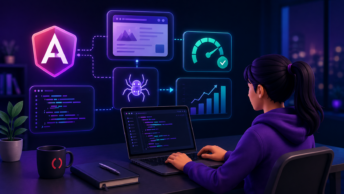


Most Angular teams don’t fall behind on upgrades because they’re lazy. They fall behind because release notes list what changed, not what it means for their codebase. There’s a real difference between knowing Signals are stable and knowing which of your components need to change first.
Angular 21 is the latest Angular version, released on November 20, 2025. It makes zoneless change detection the default, replaces Karma with Vitest, ships Signal Forms as an experimental API, and removes several APIs that were deprecated since v19—each with direct consequences for existing projects.
This guide turns the v21 release into an execution plan. You’ll see what changed, what breaks, and what to fix first, including where AI tools like the Angular MCP server can cut the work significantly.
What Is the Angular Latest Version?
Angular 21 is the latest stable Angular version, released on November 20, 2025. Google maintains a consistent six-month major release cadence, which means Angular 22 is expected around May 2026. The most recent stable release is Angular 21.2.4, published in early April 2026.
Angular’s versioning follows semantic rules: the major number (21) marks potentially breaking changes, minor releases add features without breaking existing code, and patches address bugs and security fixes. All releases and their dates are available on the official Angular GitHub repository and npm registry.
Angular 21 Release Date and Version Number
| Detail | Value |
| Major Version | 21 |
| Latest Stable | 21.2.4 |
| Release Date | November 20, 2025 |
| Release Cycle | Every 6 months |
| Next Expected | ~May 2026 (Angular 22) |
Current Angular Version History at a Glance
Each major version receives 18 months of active support, covering both feature development and critical bug fixes. Once that window closes, the version reaches end-of-life and stops receiving updates. Angular versions v2 through v18 are no longer supported.
| Version | Release Date | Key Feature | Support Status |
| Angular 21 | Nov 2025 | Zoneless default, Signal Forms, Vitest | Active |
| Angular 20 | May 2025 | Signals stable, incremental hydration stable | Active |
| Angular 19 | Nov 2024 | Event replay stable, HMR support | LTS |
| Angular 18 | May 2024 | Zoneless experimental, new control flow | EOL |
| Angular 17 | Nov 2023 | Deferrable views, built-in control flow | EOL |
What Actually Changed in Angular 21
Angular 21 graduates several features from experimental to production-ready. Here are the changes with the widest practical impact on existing codebases:
- Zoneless change detection is now the default for new projects, as Zone.js is no longer required
- Signal Forms arrive as an experimental API, replacing RxJS-based reactive forms
- Vitest replaces Karma as the standard test runner, with up to 10x faster test execution
- Angular ARIA introduces a headless accessibility component library in developer preview
- Angular MCP server ships as an official AI-native development tool via ng mcp
- Zoneless Change Detection Is Now the Default
New Angular 21 projects no longer include Zone.js by default. Zone.js previously tracked every async operation to determine when Angular should check for changes; a reliable approach that added bundle weight and made debugging harder than it needed to be.
Angular now uses Signals to drive change detection, producing smaller bundles, faster runtime performance, and more predictable update behavior.
Existing projects are not forced to migrate immediately. Your polyfills.ts will continue importing Zone.js until you actively opt out. The migration path runs through the onpush_zoneless_migration tool in the Angular MCP server, which uses AI to generate a step-by-step refactor plan tailored to your specific codebase, including which components to convert first and which carry the highest risk.
- Signal Forms (Experimental): What They Replace and Why It Matters
Signal Forms introduce a reactive forms API built entirely on Signals, available via @angular/forms/signals. They replace the FormControl, FormGroup, and FormArray pattern that relies on RxJS observables and manual subscriptions.
State updates happen through Signals, eliminating the valueChanges.pipe(…takeUntil(this.destroy$)) pattern that most Angular developers have written dozens of times.
Signal Forms are still experimental, meaning the API may change before it stabilizes. Both systems can coexist, so there’s no immediate pressure to refactor your existing forms. If your project already uses Signals heavily, Signal Forms offer a more consistent and readable way to manage form state.
Before (Reactive Forms):
typescript
this.form.get(’email’).valueChanges
.pipe(takeUntil(this.destroy$))
.subscribe(value => this.handleChange(value));
After (Signal Forms):
typescript
const emailValue = this.form.fields.email.value(); // direct signal read
- Vitest Replaces Karma as the Default Test Runner
Angular 21 makes Vitest the default test runner for new projects, following Karma’s deprecation in 2023. In large workspaces, Vitest runs tests 5–10x faster than Karma, supports hot module replacement during test runs, and requires far less configuration.
New projects get Vitest out of the box; existing projects can migrate using the ng generate @angular/core:karma-to-vitest schematic.
Karma and Jasmine remain fully supported if you’re not ready to migrate. Standard configurations handle the schematic well, but custom Webpack setups in your test environment will need manual rewriting for Vite.
- Angular ARIA: Accessibility as a First-Class Citizen
Angular 21 ships Angular ARIA as a new developer-preview library of headless, accessible UI components. Each component includes the correct ARIA roles, keyboard interactions, and focus management by default, covering patterns like accordions, combo-boxes, tabs, and menus.
The library provides accessibility behavior without imposing any visual styling, so you bring the CSS, and Angular handles the compliance.
This matters practically for teams building applications intended for EU markets, where accessibility compliance carries legal weight under the European Accessibility Act. Add the package with ng add @angular/aria and selectively adopt components where your current implementation has gaps.
- Angular MCP Server and AI-Native Development Tools
Angular 21 introduces an official Model Context Protocol (MCP) server, accessible via the ng mcp CLI command. The MCP server gives AI coding assistants — including GitHub Copilot and Claude — direct context about your project’s component structure, services, and routing configuration.
Instead of generating generic Angular code, the AI produces suggestions that reflect your actual patterns and current v21 APIs.
The CLI also ships an ai_tutor tool that launches an interactive Angular tutor aware of your specific project structure. Both tools run locally and only share your code externally if you’re using a cloud-based AI assistant.
Breaking Changes That Will Affect Your Existing Codebase
Angular 21 consolidates several deprecations from v19 and v20 into hard removals. Here is a full overview before the detailed breakdown:
| Breaking Change | What Breaks | Fix |
| OnPush now default | Components relying on automatic change detection | Add ChangeDetectionStrategy.Eager or migrate to Signals |
| ng-reflect-*removed | Test selectors using [ng-reflect-name] | Replace with data-testid attributes |
| NgModuleFactoryremoved | Dynamic module loading, old compiler API | Switch to dynamic import() syntax |
| HammerJS removed | Swipe/pinch gesture handlers via HammerModule | Use native Pointer Events API |
| Node.js minimum v22.22.0 | CLI fails to start on older Node versions | Update Node.js across all environments |
| TypeScript minimum 5.9 | Build errors on older TypeScript versions | Run npm install typescript@latest |
OnPush Is Now the Default Change Detection Strategy
Components without an explicit changeDetection property now default to ChangeDetectionStrategy.OnPush. Under OnPush, Angular only re-renders a component when its inputs change or an event fires within it. This is a meaningful behavioral shift for components that rely on external mutable state or async side effects.
To restore the previous behavior, add changeDetection: ChangeDetectionStrategy.Eager to the component decorator. For a broader fix, update components that rely on mutable external state to use Signals, the async pipe, or explicit ChangeDetectorRef.markForCheck() calls.
OnPush brings real performance gains, so it’s worth adapting your code rather than rolling everything back.
ng-reflect-* Attributes Removed by Default
Angular no longer emits ng-reflect-* attributes in the DOM by default. These attributes were added in development mode to expose bound property values for debugging, but they added overhead to production bundles. If your tests use selectors like [ng-reflect-name], those queries will fail after upgrading.
Replace any ng-reflect-* selectors in your test files with explicit data-testid attributes you control directly. Add data-testid=”component-purpose” to the relevant template elements and update your queries to match.
If you need a temporary escape hatch during migration, provideNgReflectAttributes() restores the old behavior in development mode only.
NgModuleFactory Removed: What to Use Instead
NgModuleFactory has been fully removed. If your codebase uses it for dynamic module loading or references the older compiler API, you’ll see build errors immediately after upgrading. Switch to dynamic import() syntax for lazy-loaded routes.
Replace any loadChildren string syntax with: loadChildren: () => import(‘./feature/feature.module’).then(m => m.FeatureModule). The ng update schematic handles many of these conversions automatically, but search your codebase for direct NgModuleFactory references that the schematic may miss.
HammerJS Integration Fully Removed
Built-in HammerJS support is gone. It was deprecated in Angular 20, and v21 completes the removal. Any component importing HammerModule will throw errors after upgrading.
If your app depends on touch gestures like swipe or pinch, you have two options: install HammerJS directly and configure it manually, or replace it with the native Pointer Events API. Most modern apps handle the gestures they need with a small amount of native browser code without the added dependency.
Node.js Version Requirements (v22.22.0+ or v24.13.1+)
Angular 21 requires Node.js v22.22.0 or higher, or v24.13.1 or higher. Older versions will prevent the CLI from running — ng serve and ng build will fail before doing anything useful. Update Node.js across your development machines, CI/CD pipelines, and deployment environments before upgrading Angular.
If your team manages multiple projects on different Node.js versions, nvm handles the switching cleanly and prevents version conflicts across your local environment.
TypeScript 5.9 Minimum Requirement
Angular 21 requires TypeScript 5.9 or higher. Update your package.json and run npm install typescript@latestbefore starting the Angular upgrade. TypeScript 5.9 tightens inference and type checking — generic types, conditional types, and complex inference chains are the most common sources of new errors.
Most of these errors surface real issues in your code rather than false positives. Fixing them is preferable to suppressing them with type assertions.
What to Refactor First: A Prioritized Execution Plan
After upgrading, the order you tackle changes in matters as much as the changes themselves. Here is the full sequence at a glance:
| Step | Task | Estimated Time | AI Tool Available? |
| 1 | Run ng update and review warnings | 1–2 hours | No |
| 2 | Fix test suite (Karma → Vitest) | 2–8 hours | karma-to-vitest schematic |
| 3 | Audit change detection | 2–4 hours | onpush_zoneless_migration |
| 4 | Replace ng-reflect-* in tests | 1–3 hours | No |
| 5 | Migrate structural directives | 1–4 hours | control-flow schematic |
| 6 | Evaluate zoneless readiness | 4–16 hours | Angular MCP server |
Step 1: Run ng update and Read Every Warning
Run ng update @angular/cli @angular/core and treat every warning as a task, not a suggestion. The command applies automatic migrations that fix known breaking changes, but it also surfaces deprecations and patterns that need manual attention. Some migrations insert TODO comments pointing to spots that require human review.
If ng update flags compatibility issues with third-party packages like Angular Material or NgRx, update those dependencies next and review their changelogs before proceeding. Save the full migration output to a file — it functions as your upgrade checklist.
Step 2: Fix Your Test Suite (Karma → Vitest Migration)
Your test suite is your safety net for every refactor that follows. Run ng test immediately after upgrading. If it fails, decide upfront: keep Karma by adding @angular/build:karma manually, or migrate to Vitest using the ng generate @angular/core:karma-to-vitest schematic.
The Vitest schematic handles standard configurations well. Custom Webpack setups require manual rewriting for Vite. Once all tests pass in the new runner, you have a stable baseline for every step that follows.
Step 3: Audit Components Without Explicit Change Detection
Search your codebase for @Component decorators missing a changeDetection property. These components now default to OnPush, so any component mutating external state or relying on implicit async updates may stop rendering correctly. Profile your app in Chrome DevTools to identify which components trigger the most change detection cycles.
Use the Angular MCP server’s onpush_zoneless_migration tool to generate a prioritized list of components to convert. It identifies which are safe to migrate automatically and which carry a higher risk due to complex state interactions, cutting audit time from days to under an hour on most mid-size projects.
Step 4: Replace ng-reflect-* in Tests With data-testid Attributes
Search your test files for selectors containing ng-reflect. Add data-testid attributes directly to the relevant template elements and update test queries to use fixture.nativeElement.querySelector(‘[data-testid=”your-id”]’). Establish a naming convention like componentName-elementPurpose so test IDs stay consistent and failures are easy to trace.
AI coding assistants handle this refactor well at scale. If you have hundreds of test files, prompt your assistant to find all ng-reflect selectors, generate the corresponding data-testid attributes, and update the queries in bulk, then review the output before committing.
Step 5: Migrate Structural Directives (*ngIf/*ngFor → @if/@for)
Run ng generate @angular/core:control-flow to convert most structural directives automatically. The schematic handles straightforward cases well; review complex nested conditions manually. When writing @for blocks, always use a unique identifier as the track expression — track user.id rather than track $index — so Angular can reuse DOM elements efficiently when lists update.
Step 6: Evaluate Zoneless Migration Readiness
Your app is a good candidate for zoneless migration if it meets these conditions:
- OnPush change detection is already broadly adopted across your component tree
- Reactive patterns with Signals or RxJS drive most state updates
- Change detection is triggered explicitly where needed, not implicitly via Zone.js
Avoid the migration if your app depends on Zone.js plugins or uses third-party libraries that require zones. Test the migration in a feature branch by adding provideZonelessChangeDetection() to your app config and running your full test suite.
Use the Angular MCP server to generate a component-by-component migration plan before making any changes — it significantly reduces the risk of missing Zone.js dependencies in large codebases.
How AI Tools Are Changing Angular Upgrades
AI tools now handle a large share of the planning and mechanical code transformation work that used to take days of manual effort. The Angular CLI’s MCP server, the onpush_zoneless_migration tool, and general-purpose AI coding assistants each play a distinct role in a modern upgrade workflow.
Using the Angular MCP Server to Plan Your Migration
The ng mcp command gives AI assistants detailed context about your Angular workspace — component structure, module dependencies, routing configuration, and third-party integrations.
An AI assistant with that context can suggest a migration path tailored to your actual setup rather than a generic upgrade guide. For monorepos or projects with complex dependency trees, this context reduces the time spent identifying what needs to change from days to hours.
The onpush_zoneless_migration Tool — What It Does and Its Limits
The onpush_zoneless_migration tool automates the conversion of components to OnPush change detection and identifies Zone.js dependencies that can safely be removed. It handles the mechanical work well: adding ChangeDetectionStrategy.OnPush, inserting markForCheck() calls where needed, and flagging components ready to go zoneless.
Where it falls short is in complex component interactions, custom change detection patterns, and RxJS subscriptions that require manual Signal conversion. Treat its output as a starting point, not a finished migration. Test thoroughly after running the tool, especially in larger applications with custom state management.
AI-Assisted Refactoring: Where It Helps, Where It Doesn’t
AI excels at repetitive transformations across large numbers of files. Here is a clear breakdown of where to lean on it and where to keep humans in control:
| Task | AI Reliability | Notes |
| Updating deprecated APIs | High | Mechanical, pattern-based |
| Converting template syntax | High | Schematic handles most cases |
| Fixing TypeScript errors post-upgrade | High | Works well for inference issues |
| Updating import paths | High | Fast across hundreds of files |
| Choosing architectural patterns | Low | Requires domain knowledge |
| Handling business logic edge cases | Low | Context-dependent |
| Testing complex user interactions | Low | Requires manual verification |
Review every AI-generated change before committing. Use AI for mechanical updates and keep architectural decisions under your team’s direct control.
Angular Version History: How We Got Here?
Angular’s architectural direction has shifted significantly over the past eight major releases. Understanding the progression explains why v21 looks the way it does.
| Version | Released | Architectural Shift |
| Angular 14 | Jun 2022 | Standalone components introduced (developer preview), typed reactive forms |
| Angular 15 | Nov 2022 | Standalone components stable, directive composition API, image directive stable |
| Angular 16 | May 2023 | Signals introduced (developer preview), required inputs, takeUntilDestroyed |
| Angular 17 | Nov 2023 | Built-in control flow (@if, @for), deferrable views, 87% faster builds |
| Angular 18 | May 2024 | Zoneless experimental, event replay for SSR, Material improvements |
| Angular 19 | Nov 2024 | Event replay stable, HMR initial support, incremental hydration preview |
| Angular 20 | May 2025 | All Signals primitives stable, incremental hydration stable, zoneless developer preview |
| Angular 21 | Nov 2025 | Zoneless default, Signal Forms experimental, Vitest stable, MCP server |
Should You Upgrade Now or Wait?
Your timeline depends on your current version and how much capacity your team can dedicate to the migration. Here is a direct comparison across the three scenarios:
| Current Version | Risk Level | Estimated Effort | Recommended Approach |
| v19–v20 | Low | 2–8 hours | Upgrade now, within a normal sprint |
| v17–v18 | Medium | 3–6 days across 2 phases | Stage the upgrade: v19/v20 first, then v21 |
| v16 or earlier | High | 4–12+ weeks | Treat as a re-architecture project |
- Teams on v19–v20: Low Risk, High Reward
The jump from v19 or v20 to v21 involves minimal breaking changes and typically takes 2–8 hours for most projects. Run ng update, address any flagged warnings, update your dependencies, and run your test suite. Most components and services will work without modification.
You gain security patches, performance improvements, and access to the newest APIs without a major code rewrite. Start the upgrade during a normal sprint — no dedicated cycle needed. The Angular MCP server can generate a project-specific upgrade checklist in minutes if you want an extra layer of confidence before starting.
- Teams on v17–v18: Plan for a Two-Step Upgrade
Upgrading from v17 or v18 benefits from a staged approach. Upgrade to v19 or v20 first, stabilize, then upgrade again to v21. Breaking each jump into a smaller delta means fewer issues to address at once and a shorter window where your codebase is in an unstable state.
Budget 2–3 days per phase — roughly 3–6 days of total effort — and dedicate focused sprint capacity to each step. Test all critical user flows between phases. The ng mcp command can analyze your workspace before each phase and flag which third-party dependencies are likely to cause friction.
- Teams Below v17: Treat This as a Re-architecture Project
Upgrading from v16 or earlier is a modernization project, not a routine update. Angular has changed substantially since those versions — deprecated APIs have been removed, recommended patterns have shifted, and the reactivity model looks fundamentally different. Versions below v19 no longer receive security fixes or bug patches, which makes staying put an active risk.
Expect breaking changes across multiple major versions, compatibility issues with third-party libraries, and dependencies that no longer exist. Budget at least 20% of development capacity for 4–12 weeks, depending on codebase size, and include time for team training and thorough regression testing.
AI-assisted refactoring tools can accelerate the mechanical parts of this migration — particularly API updates and template syntax conversion —, but architectural decisions still require experienced Angular developers reviewing every change.
Stop Waiting. Your Angular 21 Upgrade Has a Clear Path Forward
Angular 21 is not a disruptive release; it’s a consolidation. The breaking changes are well-documented, the migration tooling is mature, and teams on v19 or v20 can complete the upgrade in a single sprint. The real risk is not upgrading: versions below v19 no longer receive security patches, and the gap between legacy codebases and modern Angular patterns widens with every release.
If your team needs Angular expertise to execute the upgrade confidently, Arc connects you with vetted developers, front-end specialists, full-stack engineers, and technical leads available for freelance contracts in as little as 72 hours. No upfront cost, no lengthy search.
The path forward is clear. Run ng update, stabilize your tests, and work through the refactor steps in order. Start hiring if you need the right developer to get it done faster.
Frequently Asked Questions
What is the latest Angular version in 2026?
Angular 21 is the latest major version, released on November 20, 2025. The most recent stable release is Angular 21.2.4, published in early April 2026. Angular follows a six-month release cadence, so Angular 22 is expected around May 2026.
Is Angular 21 stable enough to use in production?
Yes. Angular 21 is the current stable release and is actively used in production by teams worldwide, including at Google. Signal Forms are the only major feature still marked experimental — all other changes in v21, including zoneless change detection and Vitest integration, are fully production-ready.
Does Angular 21 still support Zone.js?
Yes. Zone.js support is fully retained for existing applications. New projects generated with ng new exclude Zone.js by default, but existing projects keep it until you actively opt out. The Angular team provides migration tooling to help teams move to zoneless incrementally, including the onpush_zoneless_migration tool in the Angular MCP server.
What breaks most often when upgrading to Angular 21?
The most common issues are test suite failures from the Karma-to-Vitest transition, components breaking because OnPush is now the default change detection strategy, test selectors failing because ng-reflect-* attributes are no longer emitted, and build errors from NgModuleFactory removal. Running ng update before touching any application code surfaces most of these automatically.
What Node.js version does Angular 21 require?
Angular 21 requires Node.js v22.22.0 or higher, or v24.13.1 or higher. Older versions prevent the Angular CLI from running entirely — ng serve and ng build will fail before executing. Update your development environment, CI/CD pipelines, and deployment infrastructure before starting the upgrade.
How long does upgrading to Angular 21 typically take?
Teams on v19 or v20 typically complete the upgrade in 2–8 hours. Teams on v17 or v18 should budget 3–6 days across two staged upgrade phases. Projects on v16 or earlier should treat the migration as a 4–12 week re-architecture effort requiring dedicated team capacity and a structured rollout plan.
Can AI tools help with an Angular 21 upgrade?
Yes, meaningfully so. The Angular MCP server (ng mcp) gives AI assistants full context about your workspace and generates a tailored migration plan. The onpush_zoneless_migration tool automates OnPush and zoneless conversion for most components.
General-purpose AI coding assistants handle bulk API updates, template syntax conversion, and import path changes well — tasks that would otherwise take days across large codebases. For architectural decisions and business logic, human review remains essential.