
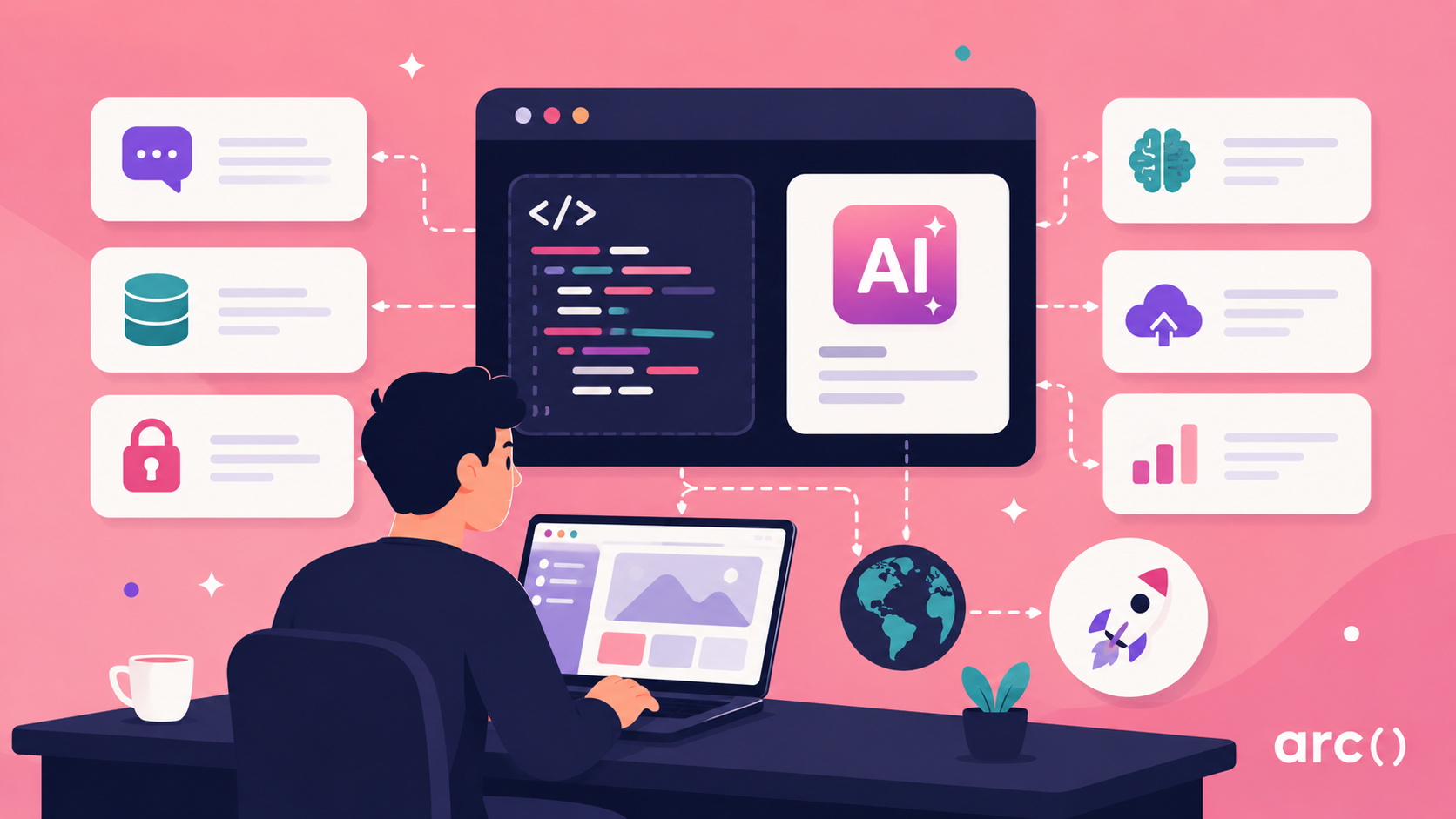

Building an app with AI in 2026 is no longer a technical barrier, but a decision about speed, cost, and long-term control. Teams can now launch full applications in days using no-code tools, but many hit limits when products need custom logic, security, or scale. Choosing how you hire remote developers early shapes whether you move fast or rebuild later.
Arc connects companies with vetted remote talent who already use AI-assisted development to ship production-ready systems. Instead of relying only on generated code, you can work with engineers who validate architecture, secure integrations, and extend AI-built foundations into scalable products. This reduces rework while keeping early momentum intact.
This guide breaks down every path to building with AI, from no-code prototypes to AI-assisted development teams. You’ll see what each approach costs in time and money, when to hire developers, and how to balance speed with ownership as your product grows.
How AI App Development Changed In 2026
Three shifts in the last 12 months have made AI app development genuinely practical, not just for developers, but for anyone with a clear idea.
Shift 1: Full-App Generation
In 2024, AI wrote functions. In 2025, it scaffolded pages. By 2026, tools like Lovable and Bolt.new generate complete multi-page apps with databases, auth flows, and responsive layouts from a single prompt. You describe what you want, and the app exists in minutes.
Shift 2: Invisible Deployment
Hosting, SSL, custom domains, deployment pipelines: most AI builders now handle all of this with one click. You go from prompt to live public URL in the same session. The DevOps tax is nearly zero for simple apps.
Shift 3: AI Coding Agents
Claude Code, released in early 2026, can build entire codebases autonomously from terminal instructions. It scores 80.8% on the SWE-bench verified benchmark, meaning it can solve about 4 out of 5 real engineering tasks independently. This isn’t autocomplete; it’s a junior developer that never sleeps.
The result: thousands of non-technical founders are now shipping real products. The question in 2026 isn’t “can AI build my app?”, but “which approach is right for what I’m trying to build?”
The Three Paths to Building With AI
Most guides present this as a binary choice. It isn’t. There are three distinct approaches, and the right one depends entirely on your skills, app complexity, and how much long-term control you need.
| Path | Best For | Speed to MVP | Scalability | Code Ownership |
| No-code / AI-generated apps | Non-technical founders validating ideas or building internal tools | Hours to 1 day | Limited — breaks with complexity or growth | Platform-dependent (lock-in risk) |
| Low-code + AI | Semi-technical builders creating MVPs with some customization | 1–3 days | Moderate — workable for early-stage products | Partial — some export/control limitations |
| AI-assisted development | Developers building production-ready, scalable applications | Days to weeks | High — supports long-term growth and performance tuning | Full — complete control over codebase and architecture |
- No-Code Vibe Coding
Vibe coding is the phrase the developer community settled on for building apps through natural language. You describe the “vibe” of what you want, and the AI generates the implementation. No HTML, no CSS, no JavaScript required.
Tools like Lovable, Bolt.new, and Bubble let you type a prompt like “a task tracker with a weekly summary email and Stripe billing” and get a working prototype back. Deployment is one click. It’s genuinely remarkable if you’ve never done it.
The catch: these tools abstract away everything, including your ability to fix or modify things precisely. When you hit the ceiling — custom business logic, complex integrations, serious performance requirements — you’re stuck. Most founders who go this route end up rebuilding within 3–6 months if their app gains any real traction.
Use it for: validating an idea, demo-ing to investors, and solo tools for personal use.
- Low-Code + AI (The Hybrid)
Tools like Cursor and Replit sit in the middle. You can generate large amounts of code with AI, but you can also read, edit, and understand what’s being built. Cursor, in particular, has become the default for developers who want AI speed without giving up control, as it wraps a real code editor with an AI pair programmer that can refactor across entire codebases.
Use it for: MVPs where you expect to iterate, apps with moderate complexity, if you’re technically curious and want to learn as you build.
- Ai-Assisted Development (The Scalable Approach)
This is what professional engineering teams use. AI tools — Cursor, Claude Code, GitHub Copilot — augment developers rather than replace them. A developer using AI well can move 3–5× faster than one who isn’t. The underlying stack (Next.js, Node.js, PostgreSQL) is fully owned and fully debuggable.
Use it for: anything you plan to grow, anything handling sensitive data, or real users at scale.
Common Mistake
Many founders start with a no-code tool to validate quickly — which is smart — but then try to scale the no-code prototype rather than rebuilding it properly. The rebuild is almost always cheaper than trying to force a vibe-coded app to do something it wasn’t designed for.
Which Path Is Right for You?
Use this decision guide:
| Your Situation | Recommended Path |
| No coding experience and want to validate an idea quickly | Use no-code AI app builders (e.g., Lovable, Bubble) to generate a working prototype in hours, then validate with real users before investing further |
| Some coding experience and want to retain code ownership | Use AI coding environments like Cursor or Replit to generate and refine code while maintaining full control over your codebase |
| Developer looking to increase speed and output | Use an AI-assisted stack (Cursor + Claude Code + Copilot) to automate boilerplate and focus on architecture and business logic |
| Building an MVP to raise funding | Start with AI-generated prototype for speed, then hire a developer to rebuild critical parts for reliability and scalability |
| Building an AI-native product (chat, recommendations, automation) | Use AI-assisted development with LLM APIs, vector databases, and backend frameworks to support real AI workloads |
| Handling sensitive data or compliance (finance, healthcare, etc.) | Use AI-assisted development only — avoid no-code or AI-generated platforms due to security, compliance, and audit limitations |
Step-by-Step: Full Build Walkthrough
The following workflow applies regardless of which path you’re on. The tools change; the sequence doesn’t.
- Define A Narrow, Testable Use Case
The most common AI build failure isn’t a technical problem; it’s a scope problem. AI performs significantly better with specific constraints and defined outputs.
- Too broad: “Build a project management app”
- Right scope: “Task tracker for freelancers with time logging per task and a weekly PDF invoice generator”
The tighter your brief, the better the initial output. If you can’t describe your app in two sentences with clear inputs and outputs, spend more time here before touching any tools.
- Choose your tool and generate the UI
For no-code: open Lovable or Bolt.new, and prompt your full spec. Be as specific as possible about screens, user flows, and what data is displayed where.
For AI-assisted dev: use Figma Make or v0.dev to generate component mockups first, then export to React. This gives you a cleaner handoff than trying to describe visual layouts in prose.
Example prompt for a dashboard:
“Dashboard with a sidebar nav (Home, Tasks, Invoices, Settings), a main panel showing active tasks in a Kanban board with three columns (To Do, In Progress, Done), and a header with a search bar and user avatar. Use a clean, minimal style with a white background.”
Expect to manually refine the layout. The first output is a starting point, not a finished product.
- Generate The Backend (And Actually Review It)
In Cursor or with Claude Code, prompt your API structure explicitly:
“Create a REST API in Node.js with Express. Endpoints:
– POST /auth/register and /auth/login (JWT auth)
– GET/POST/PUT/DELETE /tasks (CRUD, user-scoped)
– GET /invoices/:userId (returns PDF)
Include input validation with zod and proper error handling.”
AI will generate routes, controllers, and models. You must review:
- Input validation — is every user-supplied field sanitized?
- Auth checks — is every protected route actually protected?
- Error messages — are you leaking stack traces to the client?
- SQL injection / injection risks — especially if using raw queries
Security Note
AI-generated backends often pass auth checks at the route level but miss object-level authorization, meaning a logged-in user could access another user’s data by guessing IDs. Always test this explicitly.
- Add A Database With Proper Schema Design
Use PostgreSQL with Prisma ORM; this is the default stack for new AI-assisted projects in 2026 for good reason. Prisma gives you type-safe queries, automatic migrations, and AI tools understand it well.
// AI-generated Prisma schema — review before running migrations

model Task {

  id        String   @id @default(cuid())

  title     String

  status    Status   @default(TODO)

  userId    String

  user      User     @relation(fields: [userId], references: [id])

  createdAt DateTime @default(now())

  updatedAt DateTime @updatedAt

}

enum Status {

  TODO

  IN_PROGRESS

  DONE

}
AI can scaffold the schema, but you make the architectural decisions: normalization vs denormalization, indexing strategy, soft deletes vs hard deletes, multi-tenancy design. These choices compound. A bad schema at MVP stage becomes an expensive migration at scale.
- Add Auth, Then Deploy
For most apps: use Clerk or Auth.js rather than building auth from scratch. AI tools can integrate these in under an hour. Roll-your-own auth in 2026 is a security liability you don’t need.
For deployment:
- Frontend + serverless APIs: Vercel (still the default; free tier is generous)
- Full backend + database: Railway or Render (simpler than AWS for early-stage apps)
- If you need AWS: Use AI to generate your Terraform config — don’t handwrite it
- Iterate: Test, Fix, Add Monitoring
After your first deploy, your job is to break things. Write a short test plan covering your core user flows, then have real people use it. AI is excellent at generating test suites once you have working code —prompt it to write Jest unit tests for each endpoint.
Add error monitoring (Sentry has a free tier) before you share the app with anyone. You want to know about failures before your users do.
Best AI Tools Compared
The landscape shifted significantly in the past year. Here’s an honest comparison of the tools that matter:
| Tool | Type | Best For | Price | Code Ownership |
| Lovable | No-code AI app builder | Generating full-stack apps from prompts with exportable TypeScript for early MVPs | Free / ~$20/mo | Yes (exportable, but may require cleanup) |
| Bolt.new | No-code AI builder | Rapid full-stack prototypes directly in the browser with minimal setup | Free / usage-based | Yes (code accessible) |
| Bubble | No-code platform | Building complex workflows without coding, especially internal tools | $29–$349/mo | No (platform lock-in) |
| Cursor | AI-assisted IDE | Developers editing and generating entire codebases with contextual AI support | ~$20/mo | Full |
| Claude Code | AI coding agent | Generating and modifying backend systems, scripts, and full apps via terminal workflows | ~$20/mo | Full |
| GitHub Copilot | AI-assisted IDE | Inline code completion and developer productivity within existing IDEs | ~$10/mo | Full |
| Replit | Low-code / hybrid | Browser-based development with AI support for semi-technical builders | Free / ~$25/mo | Yes |
| v0.dev | AI UI generator | Generating production-ready React components from prompts | Free / usage credits | Full |
Pro tip: If you want to export your code and aren’t locked into a platform, Lovable is the strongest no-code choice — it generates clean TypeScript you can take anywhere. If you want to learn to code as you build, Cursor + Replit is a better pairing.
Real Build Example: AI SaaS Task Tracker
Here’s what a realistic 2026 build timeline looks like for a simple B2B SaaS, a task tracker with time logging and invoicing for freelancers.
| Phase | What Gets Built | AI Handles | Human Handles |
| Day 1–2 | UI, basic CRUD API | Component generation, route scaffolding, initial data models | UX decisions, data schema design, feature scoping |
| Days 3–5 | Authentication, database, deployment | Auth boilerplate, ORM models (e.g., Prisma), basic deployment scripts | Security validation, environment configuration, infrastructure setup |
| Week 2 | Billing, email, integrations | Stripe and email API integration code, webhook scaffolding | Pricing logic, edge case handling, failure recovery flows |
| Weeks 3–4 | Testing, performance, monitoring | Unit test generation, query optimization suggestions, log hints | Test strategy, acceptance criteria, monitoring and alerting setup |
AI dramatically accelerates the first 50% of the build. Developers handle the second 50%, the part that actually determines whether the product works in production.
Adding AI Features To Your App
Building with AI is different from building AI into your app. Once your core app exists, here’s how to add AI-native features:
Common AI Features And The Right Tools
| Feature | Tool / API | Complexity |
| In-app chatbot / assistant | Anthropic API, OpenAI API | Low — straightforward API integration, main effort is prompt design and UX flow |
| Semantic search | Vector DB (Pinecone, Weaviate) + embeddings | Medium — requires indexing strategy, embedding pipelines, and query tuning |
| Document summarization | Claude API with PDF inputs | Low — simple to implement, but requires handling file uploads and response formatting |
| Content recommendations | Embeddings + cosine similarity | Medium — needs data modeling, ranking logic, and continuous tuning |
| AI form autofill / data extraction | Structured outputs (JSON mode, function calling) | Low–Medium — depends on input variability and validation requirements |
| Multi-step autonomous agents | Claude (tool use), LangChain, orchestration frameworks | High — involves state management, tool chaining, retries, and failure handling |
Example of a simple AI chat endpoint in Node.js:
import Anthropic from "@anthropic-ai/sdk";

const client = new Anthropic();

export async function POST(req) {

  const { messages, systemPrompt } = await req.json();

  const response = await client.messages.create({

    model: "claude-sonnet-4-5",

    max_tokens: 1024,

    system: systemPrompt,

    messages: messages,

  });

  return Response.json({

    reply: response.content[0].text,

  });

}
AI coding tools will write this for you in seconds. The architectural decisions — which model to use, what context to inject, how to handle rate limits, and how to manage costs — still require human judgment.
On Model Costs
API costs for AI features have dropped roughly 80% since 2024. A typical chat interaction with Claude Sonnet costs fractions of a cent. At an early-stage scale (<10,000 users), AI API costs are rarely the constraint. Monitor usage carefully once you go viral.
Cost To Build An AI App In 2026 (And When You Need To Hire Developers)
One of the most searched questions about AI app development is what it actually costs. Here’s an honest breakdown for 2026:
| Approach | Tool Costs | Human Costs | Time to MVP | Best For |
| DIY AI-generated apps (no-code) | $0–$50/mo | $0 (your time) | 1–3 days | Fast idea validation and simple internal tools |
| AI tools + freelance developer | $50–$100/mo | $2,000–$8,000 total | 1–3 weeks | MVPs with real backend logic and user-ready features |
| AI-assisted development team | $100–$300/mo | $60–$150/hr | 4–8 weeks | Scalable products with proper architecture |
| Enterprise-grade AI development | $300+/mo | $120–$200/hr | 8–16+ weeks | Complex systems, regulated industries, high reliability |
The real cost of choosing the wrong approach isn’t the tool subscription; it’s the rebuild. Choosing a no-code platform for an app that needed custom infrastructure typically costs 3–6 months of rework.
Developer Types You’ll Need (And What AI Changes)
AI doesn’t eliminate the need for developers. It changes which developers you need and how fast they can work:
- AI-fluent full-stack developers: the default hire for most early-stage products. Can use Cursor and Claude Code to move 3–5× faster than a developer who doesn’t.
- Backend / infrastructure engineers: still essential for architecture decisions, scaling, and security. AI can’t replace judgment.
- AI-integration specialists: increasingly in demand for products that embed LLMs, vector search, or autonomous agents.
Where AI Fails (And What To Do Instead)
No guide is honest without this section. Here’s where AI-generated code consistently falls short:
| Problem Area | What Goes Wrong | What to Do |
| Security | Missing object-level authorization, exposed API keys, weak input validation | Conduct manual security reviews and use proven authentication libraries (e.g., OAuth, JWT frameworks) |
| System architecture | AI optimizes individual functions but ignores system-wide design tradeoffs | Define architecture upfront (monolith vs microservices, DB structure) before generating code |
| Performance at scale | N+1 queries, missing indexes, inefficient data models | Run load tests early and manually review database queries and indexing strategy |
| Complex integrations | AI uses outdated API patterns, misses edge cases, and failure states | Always validate against official documentation and test every integration path thoroughly |
| Compliance & regulation | Requirements like GDPR, HIPAA, SOC 2 are not reliably handled | Never rely on AI for compliance logic—engage experienced developers or specialists |
| Debugging production failures | Limited visibility in no-code tools, unclear error sources | Transition to an AI-assisted stack with full logging, monitoring, and debugging access |
AI is excellent at quickly generating the skeleton of an app. It struggles with the connective tissue: the edge cases, the security hardening, the performance tuning, the architectural judgment calls. The developers who use AI best are the ones who understand what AI is good at and what it isn’t, and who treat the generated code as a draft, not a final product.
When to Move From AI Tools To Real Developers
AI can take you from idea to working product faster than ever, but speed at the start doesn’t guarantee success at scale. The real challenge begins when your app needs to support real users, handle complex logic, and evolve without breaking.
Most teams that succeed follow a clear pattern: they use AI tools to quickly validate ideas, then bring in experienced engineers to turn that prototype into a reliable, scalable product. The key is making that transition early enough to avoid costly rewrites and hidden technical debt.
If you’re moving beyond a prototype, working with developers who already use AI tools effectively can cut development time while improving long-term stability. Arc connects you with vetted engineers who combine AI speed with production-level expertise, so you can ship faster, scale confidently, and avoid rebuilding later.
Frequently Asked Questions
Can Ai Build An Entire App For Me?
For simple apps with limited users, no sensitive data, and minimal integrations — yes, mostly. For anything more complex, AI handles a significant portion of the build but can’t replace the judgment required for architecture, security, and edge-case handling.
What Is Vibe Coding?
Vibe coding is the practice of building software through natural language, describing what you want, and having AI generate the implementation. The term became widespread in 2025 and describes the no-code / AI-first approach to app development. It’s powerful for prototyping; it has real limits for production.
Is Lovable Or Bolt.New Better?
Both are strong. Lovable generates cleaner, more exportable TypeScript and has a better track record for apps you might want to move off-platform later. Bolt.new is faster for quick prototypes and has more flexible deployment options. Try both on free tiers with a simple prompt and compare the output.
Do I Need To Learn To Code To Build with AI?
Not for simple apps. For anything that will handle real user data, billing, or complex business logic — even a basic understanding of how web apps work (requests, databases, auth) will save you from expensive mistakes. You don’t need to be a developer; you need to know enough to spot problems in what AI generates.
What’s The Difference Between Claude Code And Cursor?
Cursor is an IDE (code editor) with AI built in — you edit code inside it. Claude Code is an autonomous agent that runs in your terminal and can make multi-file changes, run tests, and fix bugs with minimal human input. Most professional developers in 2026 use both: Cursor for interactive coding, Claude Code for larger autonomous tasks.
How Much Does It Cost To Build An App with AI?
Tool costs are low: $20–$100/month covers most serious AI development tools. The variable is whether you need a developer. A solo technical founder with the right AI tools can build and ship a real MVP for close to $0 in tool costs. Non-technical founders who need help should budget $2,000–$10,000 for a freelancer to build and productionize the MVP.
Which AI Model Should I Use For Building AI Features Into My App?
For most use cases in 2026: Claude Sonnet (best balance of capability and cost), GPT-4o (strong for code and structured output), or Gemini 2.0 Pro (best if you’re on Google Cloud infrastructure). Don’t over-engineer the model choice early — pick one, ship, and optimize based on real usage data.