

Most broken Marketo instances are broken because someone built Smart Campaigns floating outside any program structure, dropped a Static List where a Smart List belonged, or treated Segmentation like a targeting tool. Eighteen months later, nobody on the team can change a single thing without accidentally breaking three others.
The platform’s official name is Adobe Marketo Engage, though almost everyone still calls it Marketo. That’s the convention used here. Adobe now lists Marketo Engage among its Adobe CX Enterprise applications, the agentic AI platform it introduced at Adobe Summit in April 2026. The Marketo Engage product name stays the same, and the features this article covers still work as described in Adobe’s documentation. Object names, limits, and behaviors described here are current as of October 2026.
Learning the Marketo data model means learning what each core object is, what it depends on, and what specifically breaks when you get the relationship wrong. That’s the line between someone who can push buttons inside an existing setup and someone who can architect an instance that still works in three years.
Every section below ties an object to a failure mode a real marketing operations admin has cleaned up. Definitions alone won’t help you when a trigger campaign runs away at 2 a.m.
In this guide:
- How Marketo’s core architecture fits together
- The object model: people, companies, and custom objects
- Programs, channels, and progression statuses
- Smart Campaigns and lists: how audience logic runs
- Segmentation and campaign management at scale
- Building a maintainable Marketo instance
- Frequently asked questions
- A clear model makes Marketo easier to scale
How Marketo’s core architecture fits together
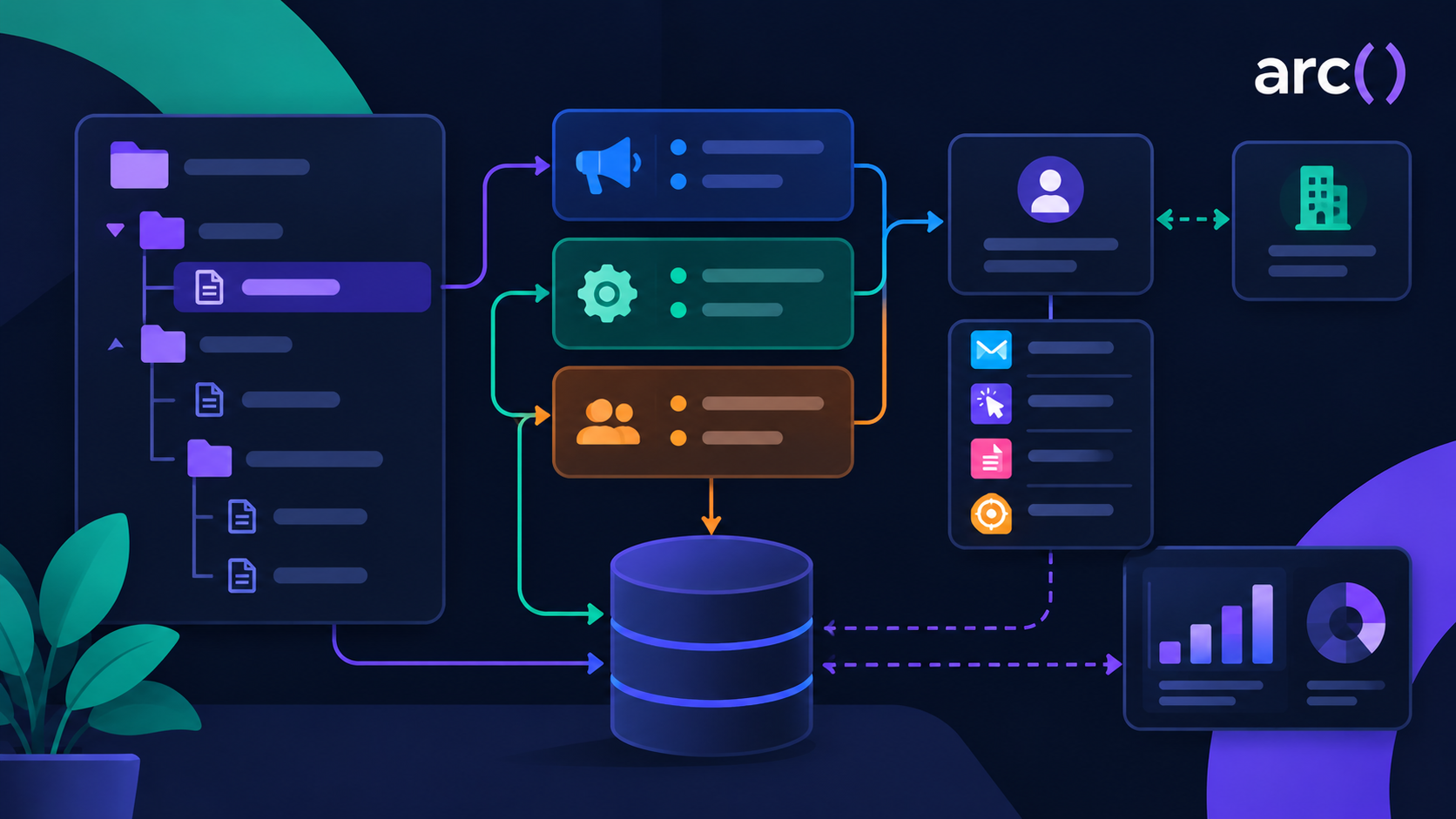
Marketo organizes everything around the Person record, and every other object exists to either group people, act on them, or report on what happened. The Person Object is the main object in what is a fairly flat database keyed on email address.
Once you understand that flatness, a lot of Marketo’s design choices start to make sense.
The hierarchy from folders to people records
Here is what contains what, from the outside in:
| Level | Object | What lives inside it |
| 1 | Workspace | Folders, Programs, and the assets scoped to a business unit |
| 2 | Program folder | Programs grouped by team, quarter, region, or motion |
| 3 | Program | Local assets, local Smart Campaigns, program members, my tokens |
| 4 | Local asset | Emails, landing pages, forms, email templates, snippets |
| 4 | Local Smart Campaign | A Smart List (who), a Flow (what), a Schedule (when) |
| 5 | Flow step | Send Email, Change Data Value, Change Program Status, Add to List, Wait |
| 6 | Person record | Field values, program membership, activity log, scores |
Alongside that tree sit database-level objects: Segmentations, Static Lists, global Smart Lists, and Tags. These are shared across programs. The nesting is the whole point. A Program owns its assets and campaigns, so you can clone it, archive it, or hand it to a new owner as one unit.
Why architecture decisions affect reporting, personalization, and maintenance
Build a Smart Campaign in the Marketing Activities root instead of inside a Program, and you lose program membership, success tracking, and the ability to clone it next quarter. It also becomes invisible to anyone auditing the program tree.
Marketo warns that if you move a Smart Campaign between programs, any Smart List or flow step referencing the original program will not auto-update. You have to fix those references by hand.
That single behavior is why “we’ll reorganize it later” rarely works.
Where data warehouse and CRM data fit into the picture
Marketo syncs Leads, Contacts, and Accounts with your CRM, and company records link to lead records through the externalCompanyId field. A functional CRM integration provides two-way sync of Leads and Companies plus one-way CRM-to-Marketo sync of other entities.
For BI systems, Adobe recommends a one-way polling model: query Marketo for new records on a schedule, transform them, then push into your warehouse. Pull, don’t push. If any of those polling jobs still call Marketo’s SOAP API, they’re running on an API Adobe no longer supports.
Adobe’s March 2026 Marketo Engage release notes set the end of SOAP API support back to July 31, 2026, and the REST API is now the only supported route. Treat it as one more irreversible decision: an integration nobody owns is an integration nobody migrated. Getting this sync layer wrong is one of the most common sources of instance-level data corruption; our guide to Marketo-Salesforce sync architecture and dedup covers the specific failure modes in more depth.
The object model: people, companies, and custom objects
Programs and campaigns sit on top of a small set of data objects. Adobe’s developer documentation lists them as Leads, Companies, Named Accounts, Opportunities, Opportunity Roles, Sales Persons, Custom Objects, Activities, Lists, and Program Membership. Marketo’s API still calls people “Leads,” while the interface calls them Person records. Four of those objects carry most of the weight in a typical instance.
The four standard objects you work with every day
| Object | What one record represents | How it connects |
| Person | One human, keyed on email address | The center of the model; every other object links back to it |
| Company | One organization, with firmographic fields shared by its people | Linked to people through externalCompanyId |
| Program Member | One person’s membership in one Program | Holds that person’s progression status and success flag for that Program |
| Opportunity | One deal, usually synced from your CRM | Linked to people through Opportunity Roles (one person, one deal, one role) |
Program Member is the one admins forget is an object. Every time someone joins a Program, Marketo creates a membership record with its own status, success flag, and dates. That record is what Program Performance reports count, which is why the channel choice in the next section matters so much.
Opportunity Roles explain why revenue attribution sometimes looks strange. Marketo dedupes them on the combination of opportunity, person, and role, so the same person can hold two roles on one deal, and a deal with no roles attached has no path back to any person or Program.
How Marketo dedupes people
Person dedupe runs on email address. When a new person arrives through a form fill or a list import, Marketo looks for an existing record with the same email and updates it instead of creating a second one.
That protection has gaps. Marketo doesn’t dedupe records already in the database, and records created through the API or synced in from your CRM can arrive as duplicates. Two records for the same person split their activity history and scores, and only one of them shows up as a member of the right Program. A duplicate check belongs on the quarterly audit list later in this guide.
Custom Objects and their limits
Custom Objects hold data that repeats per person or company: products owned, subscriptions, course enrollments, event tickets. Adobe’s Understanding Marketo Custom Objects guide describes two shapes:
- One-to-many: a single link field connects each record to a person or company, like one person who owns several cars.
- Many-to-many: an intermediary object holds two link fields, one to the person and one to the custom object, like many students enrolled in many courses.
Custom Objects work as triggers and filters in Smart Campaigns, so you can send an email when a new subscription record lands or target only people who own a specific product.
The limits are tight. Per Adobe’s Custom Objects API documentation:
- 10 custom object types per instance
- 50 fields per type, with no more than 20 added after the type is approved
- 1 to 3 dedupe fields per type
- 100 records shown on a person’s Custom Object tab
The dedupe field lock after approval
Once a custom object type is approved, you can’t add or remove a dedupe field, add or remove a link field, or change its display or API name.
Pick the wrong dedupe field, and it stays wrong. Say you dedupe a Subscription object on Product Name. The day a customer buys a second license of the same product, the new record overwrites the first one, and nothing errors out.
The fix is a new object type with the right dedupe field (a subscription ID from your billing system, for example), a full data reload, and a rebuild of every campaign that referenced the old object. Load a test file full of real edge cases into the draft object and check the record counts before you approve it.
Custom Objects vs. Activities vs. Fields
| Store it as a… | When the data is… | Example | Failure if you pick wrong |
| Field on the Person or Company | One current value per record | Industry, Job Title, Lifecycle Stage | Repeating data overwrites itself, so a second purchase erases the first |
| Activity (standard or custom) | Something that happened at a point in time | Webinar attended, trial started | Later changes (renewed, cancelled) arrive as new events, so filtering on current state gets awkward |
| Custom Object | Repeating records with their own attributes that can change | Subscriptions with a plan and renewal date, course enrollments | Burns one of 10 slots on data a field or activity would have handled |
A quick test: if the honest answer to “how many per person?” is more than one, a field won’t hold it. If the record needs to change after it’s written, an activity won’t either. When both are true, you need a Custom Object.
Programs, channels, and progression statuses
A Program is the unit Marketo uses to answer “did this marketing effort work?” Everything else in this section exists to make that answer trustworthy.
What a Program organizes and what breaks without one
A Program holds four things: its local assets, its local Smart Campaigns, its member list with statuses, and its my tokens. Membership is the piece people underestimate.
When a person hits a Program’s form or gets its email, they become a program member with a progression status. That membership shows up in Program Performance reports and feeds attribution.
Skip the Program and build a standalone campaign that sends an email? You get delivery stats and nothing else. No membership, no success count, no cost, no channel, no line in the revenue report.
Cloning breaks too. A well-built Program clones in seconds with all its assets and tokens intact. A campaign scattered across three folders has to be rebuilt by hand every time.
How channels control progression statuses and reporting
A Channel defines the list of progression statuses available to a Program, and it marks exactly one of those statuses as success. Adobe’s documentation confirms that channels are a required field for all program types, and each channel is restricted to a matching program type.
A webinar channel might offer: Invited, Registered, Attended, Attended On-Demand, No Show. Attended is the success status. A content download channel might offer only Visited and Downloaded, with Downloaded as success.
The common mistake is assigning a webinar Program to your generic “Email Send” channel because it was first in the dropdown. Now your registration flow has nowhere to record “Registered,” your attendance data has nowhere to land, and success fires on the wrong action.
Six months later, the CMO asks for webinar attendance rates and the number is wrong, because “success” meant “received an email.”
Fixing this after the fact means changing the channel, remapping every existing member’s status, and rerunning reports. Sketch your channels and step numbers before you build, as Marketo practitioners in Adobe’s community consistently advise.
Using tags to create consistent reporting dimensions
Tags are custom metadata fields you attach to Programs: region, product line, campaign theme, budget owner, fiscal quarter. Channels tell you the type of activity, while tags tell you everything else you’ll want to slice by.
Tags become required dropdowns when configured that way, which is the setting that saves you. Make Region and Product required, and nobody can create a Program without filling them in.
The failure mode is optional tags with free-text-ish inconsistency across teams. One person tags “EMEA,” another picks “Europe,” a third leaves it blank. Now your regional pipeline report covers maybe 60% of programs, and you have no way to know which 40% is missing without opening every Program.
Retroactive tagging across hundreds of Programs is tedious manual work. An AI assistant helps here in a narrow, concrete way: export your program list via the Asset REST API, then have the assistant flag every Program missing a channel assignment or a required tag value, and suggest tag values by parsing the program names. You still review each suggestion, but you’re reviewing a list instead of building one.
Smart Campaigns and lists: how audience logic runs
A Smart Campaign answers three questions: who qualifies, what happens to them, and when it runs. Those map to the Smart List, the Flow, and the Schedule tabs.
How Smart Lists, filters, and triggers define eligibility
A Smart List is a saved query. It holds two kinds of criteria: filters (state-based conditions like “Country is United States”) and triggers (event-based conditions like “Fills Out Form”).
A Smart List is dynamic and rule-based, so it re-evaluates every time you open or reference it. Nobody refreshes it.
Adding a trigger to a Smart Campaign’s Smart List converts it to a trigger campaign. Filters alone leave it as a batch campaign. That’s the switch, and plenty of admins flip it without realizing.
Filter logic supports AND, OR, and advanced nested logic like (1 AND 2) OR 3. Getting parentheses wrong is how a nurture email meant for 400 people ends up going to 40,000. Always run Use Smart List or check the Smart List tab’s People count before you activate.
When to use a trigger campaign vs. a batch campaign
| Trigger campaign | Batch campaign | |
| Fires when | An event happens, in near real time | On a schedule, or when you run it once |
| Smart List contains | At least one trigger | Filters only |
| Audience | One person at a time, as they qualify | Everyone matching the filters at run time |
| Typical use | Autoresponders, lead routing, scoring, alerts | Newsletters, list uploads, data cleanup |
| Main risk | Runs away with no qualification limit | Re-sends to people who already got it |
Trigger campaigns need a qualification rule. The default is “once,” and that default protects you. Set a campaign to let people run through it every time without thinking it through, and you build a loop: a Change Data Value flow step that modifies a field the trigger watches will re-fire the campaign, which changes the field again, which fires it again.
Batch campaigns have the mirror problem. Schedule a recurring batch against a Smart List with no “was not sent email X” filter and no member status filter, and the same 5,000 people receive the same email every Monday until someone complains.
Run heavy batches overnight when instance load is low, a point marketing operations practitioners raise repeatedly about large sends during business hours.
Smart Lists vs. Static Lists: choosing logic that will not go stale
| Smart List | Static List | |
| What it is | A saved query with filter criteria | A fixed set of person records |
| Updates | Automatically, every time it’s referenced | Only when someone adds or removes people |
| Membership changes when | A person’s data or activity changes | A flow step, import, or manual action runs |
| Best for | Ongoing nurture, scoring, routing, reporting | One-time sends, suppression snapshots, imports |
| Fails when | You need a frozen audience for a one-time send | You need the audience to keep updating |
The damaging failure is a Static List powering ongoing nurture. Someone uploads a list of 2,000 leads in March, points a nurture campaign at it, and moves on. In September, the nurture is still hitting those same 2,000 people. Every lead who came in after March never entered, and every person who unsubscribed or left their company is still in there.
Nothing errors out. The campaign runs fine. It’s just working on a six-month-old picture of your database.
The reverse mistake is quieter. You point a one-time send at a Smart List, and it takes forty minutes to process. People who qualified during minute one and got the email might no longer match by minute thirty, and people who qualified at minute twenty get pulled in mid-send. For a legally sensitive send or a set audience you promised a stakeholder, build the Static List first so the audience is frozen.
How flow steps and tokens turn rules into repeatable actions
Flow steps are the actions Marketo takes on everyone who qualifies. Send Email, Change Data Value, Change Program Status, Change Score, Add to List, Remove from Flow, Wait, Interesting Moment, Sync to CRM.
Steps run in order, top to bottom, per person. A Wait step pauses that person’s flow while everyone else keeps moving.
Order breaks things without you noticing it. Put Change Program Status after Send Email, and someone who bounces still gets marked as engaged. Put Sync to CRM before the field updates, and sales gets stale data.
Tokens are what make a Program clonable. My tokens ({{my.webinar date}}, {{my.speaker name}}) live at the Program level, and every asset inside references the token instead of a hardcoded value. Clone the Program for next month’s webinar, change five token values, and every email, landing page, and confirmation updates at once.
Hardcode those values instead, and cloning saves you nothing. You still open every asset and edit every date by hand, which is exactly where typos get into production.
Segmentation and campaign management at scale
Segmentation and Smart Lists both group people, and confusing the two is why personalization silently stops working in half your emails.
Segmentation vs. Smart List targeting
A Segmentation divides your entire database into mutually exclusive segments. Every person lands in exactly one segment, evaluated in priority order, with a Default segment catching anyone who matches nothing. Adobe’s guidance on creating a segmentation walks through adding segments in the Database and setting their order.
Smart Lists overlap freely, so one person can sit in twenty Smart Lists at once.
| Segmentation | Smart List | |
| Membership | One segment per person, mutually exclusive | Unlimited overlap |
| Built for | Dynamic content in emails and landing pages | Campaign targeting and reporting |
| Recalculates | On a schedule, after approval | On every reference, instantly |
| Limit | Capped number of active segmentations per instance | Effectively unlimited |
| Wrong use | Targeting a single campaign audience | Powering dynamic content blocks |
Segmentations are a limited, governed resource. Building one for a single campaign burns a slot you’ll want later for something structural like Industry or Lifecycle Stage.
There’s also a lag. Segmentation membership updates on Marketo’s schedule after approval, so someone who filled out a form five minutes ago may still show as Default. Target campaigns off Smart Lists, which evaluate live.
How segments support dynamic content and personalization
Dynamic content maps content variations to segments. Build one email, then swap the hero block, subject line, or call to action per segment.
Say you have an Industry segmentation with Healthcare, Finance, Manufacturing, and Default. One email template, four versions of the case study block. Each recipient sees the version matching their segment, and Default catches anyone with a blank Industry field.
The Default segment is where personalization dies. If 40% of your database has no Industry value because your form never asked and your CRM sync never mapped it, 40% of recipients see the generic fallback. The email looks personalized in the preview and generic in most inboxes.
Fix that upstream with normalization campaigns that standardize field values before Segmentation ever evaluates them. A data normalization campaign takes messy values in a field and forces them into a consistent format, which is prerequisite work for country, state, or company size segmentation.
A practical structure for naming, templates, and operational ownership
Naming conventions are the cheapest architecture decision you’ll make. A pattern like [Region]-[Year][Quarter]-[Channel]-[Description] (NA-2026Q3-Webinar-Platform Migration) makes programs sortable, searchable, and self-documenting.
Apply the same discipline to Smart Campaigns inside a Program: 01 – Registration Trigger, 02 – Reminder Batch, 03 – Post-Event Follow-Up. Numbered prefixes force execution order to be visible.
Program templates matter more than most teams treat them. Build one gold-standard webinar Program, one nurture Program, one content download Program, then clone from those instead of building fresh.
Write ownership down somewhere. Every Program should have a named owner tag, and every operational campaign (scoring, lifecycle, data normalization) belongs in a locked Operational folder that only admins touch.
Common architecture failures and how to prevent them
Here is the instance that grows without architecture, and it grows the same way almost everywhere.
Year one: a small team builds fast. Some Programs, some campaigns in the Marketing Activities root because it was quicker. Channels assigned from whatever the dropdown offered first. No tags, because reporting wasn’t urgent yet.
Year two: someone uploads a Static List for a nurture. Two more people join and clone existing programs, inheriting every shortcut. A trigger campaign gets set to “every time” to fix an edge case and quietly starts double-sending.
Year three: the CMO asks which channels drove pipeline. Nobody can answer, because half the Programs have no tags, a quarter have the wrong channel, and the campaigns living outside programs are invisible to reporting entirely.
A cleanup follows a fixed sequence:
- Inventory everything. Pull every Program, its channel, its tags, and its owner via the API. Flag missing channels, missing tags, and campaigns living outside any Program.
- Freeze new builds into the old structure. From this point on, every new Program comes from a template.
- Fix channels and tags on active Programs first. Tag historical programs if reporting needs them; archive them if not.
- Audit active Smart Campaigns. Find every trigger campaign set to run “every time” and confirm each one needs it. Find every recurring batch and check for a suppression filter.
- Replace Static Lists feeding ongoing programs with Smart Lists, then verify audience counts before activating.
- Rebuild operational campaigns (scoring, lifecycle, normalization) in a locked folder with clear ownership.
Steps 1 and 4 are where an AI assistant earns its keep. Export your campaign list with smart list criteria and flow steps, then have the assistant cluster campaigns by what they do and flag duplicates, campaigns with no qualification limit, and flows that change a field their own trigger watches.
You get a prioritized review list instead of opening 300 campaigns one at a time. For the AI features built into Marketo itself, this breakdown of AI in Marketo Engage covers Predictive Audiences, Content AI, and which ones are worth turning on.
Building a maintainable Marketo instance
Maintainability comes from writing down what you built and checking it on a schedule, not from building it perfectly the first time.
Documenting governance, dependencies, and data hygiene rules
Adobe’s guidance for new instances is explicit that documentation keeps an instance structured and sustainable, whether you keep it in a spreadsheet or a project tool.
Document these at minimum:
- Field dictionary: every custom field, what it means, what writes to it, whether it syncs to CRM
- Channel and status map: each channel, its statuses, its success step
- Tag list: every tag, its allowed values, whether it’s required
- Operational campaign inventory: what each scoring, lifecycle, and normalization campaign does
- Naming conventions: the pattern, with three real examples
- Integration map: what systems write to Marketo and what Marketo writes to
The field dictionary prevents the most expensive mistake: two admins creating Lead_Source__c and Original Lead Source for the same concept, then building six months of reporting on different fields.
Auditing programs and campaigns before complexity spreads
Run a quarterly audit, and it takes an afternoon. Run it once every three years, and it takes a consultant six weeks.
A quarterly pass checks:
- Programs with no channel or missing required tags
- Trigger campaigns set to qualify “every time”
- Recurring batch campaigns without a suppression filter
- Static Lists referenced by any active campaign
- Smart Campaigns sitting outside any Program
- Segmentations sitting in draft or with an oversized Default segment
- Fields with no data written in the last 12 months
Deactivate before you delete. Turn off a suspect campaign, wait two weeks, then delete it if nothing broke.
When to bring in experienced Marketing Operations support
Bring in senior help when the instance has outgrown the person maintaining it. Common triggers: a CRM migration, a second business unit needing its own workspace, an acquisition merging two databases, or a reporting request nobody can answer with the current tagging.
The skill you need is architectural. Plenty of marketers can build a campaign inside a well-designed instance. Far fewer can look at a channel taxonomy, a segmentation strategy, and a CRM sync configuration, then tell you which one is causing the reporting gap.
Ask candidates to explain a rebuild they’ve done, specifically what they changed about channel structure and why. Ask what they do when a trigger campaign starts looping. The answers quickly separate operators from architects; this roundup of where to hire vetted Marketo experts covers this same distinction in more depth, including what to ask about a specific instance they’ve cleaned up.
Frequently asked questions
What is a Program in Marketo?
A Program is the top-level container that holds a marketing effort’s assets (emails, landing pages, forms), its Smart Campaigns, and its member list with progression statuses. It’s the unit Marketo uses to answer whether a specific marketing effort worked: membership, success tracking, and cost all live at the Program level. Building a campaign outside any Program means losing all of that: no membership, no success count, no line in a revenue report, even if the email sends fine.
What is the difference between a Smart List and a Static List?
A Smart List is a saved query that re-evaluates every time it’s referenced, so its membership updates automatically as people’s data or activity changes. A Static List is a fixed snapshot that only changes when someone explicitly adds or removes people. Using a Static List for ongoing nurture is one of the most common architecture mistakes: the campaign keeps running fine, but it’s working off a frozen, aging picture of the database while new leads never enter and departed ones never leave.
What is Segmentation used for in Marketo?
Segmentation divides the entire database into mutually exclusive groups (every person lands in exactly one segment) and is built specifically to power dynamic content, swapping a hero image, subject line, or call to action based on which segment someone falls into. It’s not meant for campaign targeting; Smart Lists handle that, since people can belong to many Smart Lists at once and Smart Lists evaluate instantly rather than on a delayed schedule.
What is the difference between a trigger campaign and a batch campaign in Marketo?
A trigger campaign fires in near real time when a specific event happens, like a form fill, because its Smart List contains at least one trigger. A batch campaign runs on a schedule, or a one-time execution against a Smart List built only from filters, checking who currently matches rather than reacting to an event. Trigger campaigns risk running away without a qualification limit; batch campaigns risk re-sending to the same people if they’re missing a suppression filter.
What is a Channel in Marketo, and why does it matter?
A Channel defines the set of progression statuses available to a Program (for example, a webinar channel offering Registered, Attended, and No Show) and designates exactly one of those statuses as “success.” Picking the wrong channel type means a Program has nowhere to record the status that actually matters, so attendance data, conversion tracking, or revenue attribution silently reports against the wrong action, sometimes for months before anyone notices the number is wrong.
Why do Marketo instances become unmanageable over time?
Almost always because of small shortcuts that compound: Smart Campaigns built outside any Program, Static Lists left powering ongoing nurture, trigger campaigns set to run “every time” without anyone checking whether that’s needed, and tags left optional so reporting coverage quietly erodes. None of these cause an immediate error. The instance keeps running, which is exactly why the damage isn’t visible until someone needs a report the tagging can’t support or a change that breaks three things nobody expected.
A clear model makes Marketo easier to scale
The Marketo architecture rewards early discipline and punishes late shortcuts. Programs contain assets and Smart Campaigns so the whole unit clones and reports as one thing. Channels set progression statuses and define what success means. Tags make channel and revenue analysis possible months later.
Smart Lists stay current because they re-query every time; Static Lists hold a snapshot and stay frozen until someone changes them. Trigger campaigns fire on events and need qualification limits. Batch campaigns run on a schedule and need suppression filters. Segmentation buckets your database into mutually exclusive groups for dynamic content, and Smart Lists handle targeting.
Get those relationships right, and the instance stays changeable. Get them wrong, and every fix creates a new problem somewhere you didn’t look.
An instance built without this architecture in mind doesn’t break right away; it fails eighteen months later when nobody can safely change anything. Arc pre-vets Marketing Operations specialists for technical depth and English fluency before you see a profile, so you’re evaluating people who can architect an instance rather than only operate inside someone else’s. HireAI matches your requirements against a pool of vetted candidates and returns a shortlist in minutes.